WASM commandline compiler

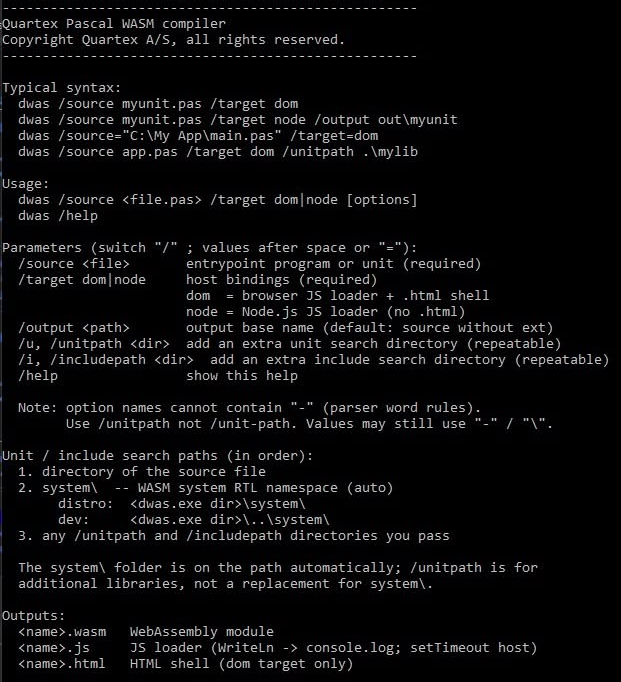
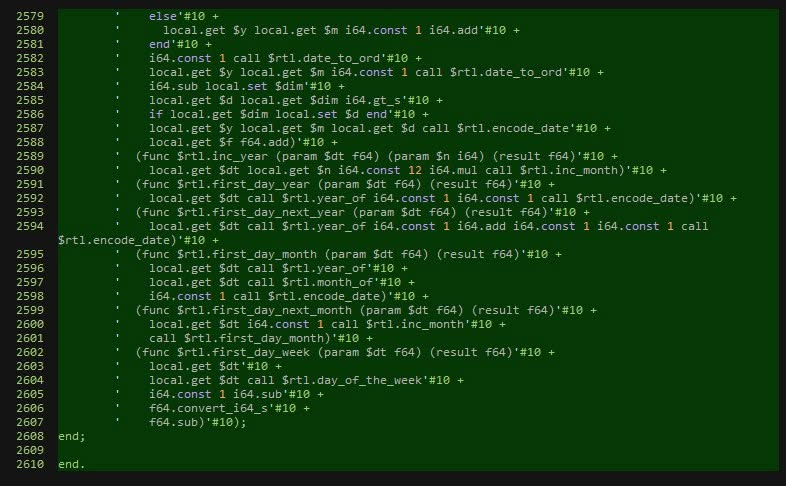
The Webassembly (wasm) command-line compiler is ready for an alpha flight and we will be testing it over the weekend. Once we see that it passes our test harness and safety scripts -it will be available to customers to play with.

I was surprised at how much survived from the system namespace. The most obvious loss is TQTXJSONObject which affects TQTXComponent and widget serialization at runtime.

The commandline compiler will be available to our customers shortly

Since our RTL does not use this feature extensively and it only affect Ragnarok messages, I doubt you will notice that it’s not there. All TQTXComponent based classes (which includes TQTXWidget’s) can serialize to/from JSON, but we have not implemented it in each widget yet to avoid the overhead. Eventually we will add it, which opens for loading and saving of DFM’s at runtime – but it’s hardly a pressing matter.

What to expect

Webassembly is closer to native code (machine code) in nature than it is Javascript. So where ordinary QTX has soft edges and a forgiving natire -webassembly is more like Delphi or C/C++ with little middle ground.

Under Webassembly the datatypes are real. Under ordinary QTX the datatypes such as Int32, Int64 etc all resolve to a standard Javascript variable. The datatypes are there to help the compiler resolve ambiguity and to initialize the variable with the correct default value. They are also there to help you work with familiar type names.

Webassembly does not allow for such softness, so if you define an Int32, you get an int32.

No variants

Webassembly lacks the variant datatype. This is used heavily under QTX’s DOM and Node namespaces to carry object references. So there is no variant datatype available at all since that would mean reverse engineering the entire multi-type infrastructure.

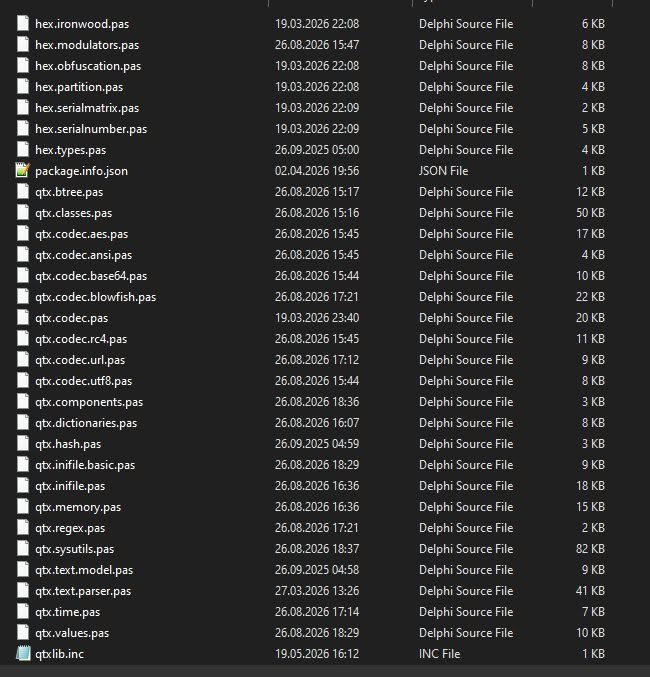
A large number of units from the system namespace have been ported

While it’s definitively doable it will just result in bloated code. Every method needed to work with the datatype would have to be linked in, and the compiler would add extra calls to these whenever you touch a field or variable of that type.

We might add variant support later, but right now it sort of defeats the purpose of Webassembly modules (imho).

No generics

QTX does not support generics in the conventional sense, except for promise objects. Eventually we will add full generics support for both JS and WASM, but its not a high priority since array objects does a great job of being collections. There is much more to generics than just typed collections of course, but the immediate benefits are covered by arrays (all arrays are objects under QTX, which has the same methods as a TObjectList<T> under Delphi or Lazarus).

The one place we do have generics, namely for JPromise<T>, did not make the transition. This binds directly to the JS codegen and would need heavy refactoring.

Promise objects makes little sense under Webassembly anyways, as it is an async control mechanism. Webassembly is blocking, just like native languages. It could be useful when calling out from Webassembly into the DOM or Node, but that will have to wait.

How to approach it

In our view Webassembly is best approached as libraries; like writing a DLL and isolating methods that would otherwise take a long time or be very slow in ordinary JS.

On top of my head the following are perfect candidates for webassembly:

  • Hashing large chunks of data
  • Compression and decompression
  • Encryption and decryption
  • Graphics processing such as filters and effects
  • Audio processing
  • Pre calculation

We could have gone completely overboard with this and allowed Webassembly classes to be exposed to the host, like Microsoft has done. But the cost would be absurd. It would mean that the code generator would have to emit a fake class, a proxy, that calls into wasm space in every method – again leading to massive bloat and binaries.

If we ever make such a mapping we would try to make exported classes purely external, just like we do for the DOM and NodeJS today. But that will have to wait.

Why Webassembly exists

Javascript was originally purely interpreted and very slow. Eventually it became JIT compiled (just in time compilation) which translate as much of a script as possible to real machine code. However, due to the dynamic nature of Javascript it is impossible to pre-compile an entire script.

So most Javascript runs in chunks, where some parts are pre-compiled and others are interpreted. This is why writing fast Javascript can be very difficult. Everything hinges on what datatypes you use, how you work with values. and what references you pull in and when.

The only way to solve this was to introduce a runtime with the same rules as native languages: strongly typed, linear memory, a proper stack -and a fixed and standard instruction set.

Since raw Webassembly is very low-level stuff it’s not for everyone (you wont have to, we have done it for you!). Writing raw Webassembly is like writing x64 or ARM assembly code (more closer to ARM than x64 to be honest).

Your code have to allocate and manage the stack from the same memory segment as the code, if you want classes and objects you have to implement your own stack-page logic just like a native compiler, and you likewise have to manage memory use and keep track of available segments. So it’s pretty dense stuff.

The result though, is that the entire wasm file can be converted to real machine code in a single swoop by the host! There is no mixed bag of native and interpreted code chunks, and that means the code runs very close to native speeds (performance is roughly 90% of stock C/C++).

The only speed penalty is when you call out; out of the wasm space and into the DOM or NodeJS. This is why I am trying to keep such calls at a bare minimum.

As of writing we only have two such cases:

  • Writeln() maps to console.log()
  • SetTimeOut() binds to the same function in the DOM or NodeJS. This function is used extensively in TQTXDispatch for scheduling future execution and is extremely useful

Everything else has been painstakingly re-implemented under Webassembly. Functions like Now() which returns a TDateTime compatible with Delphi and Freepascal is a pure implementation, it does not rely on the JS RTL or the host at all.

Again, we could have gone all in here and mapped up every class and RTL method under the sun, but the price would be bloat.

Having fun with Quartex Pascal

With AI at our disposal anything seems possible. At least if you know what to look out for. And as a fun weekend project we decided to port something that ticks all the boxes: namely a Commodore Amiga emulator!

The Quartex Amiga Emulator (QAE)

The Commodore retro community has no shortage of emulation options these days, but for the browser there has only been two options: SAE (scripted Amiga Emulator) which is a pure JS implementation, and VAmiga which is a webassembly Amiga implementation. There is also a third alternative that just dropped, a project called Copperline which is a cycle exact rust implementation that likewise compiles to webassembly.

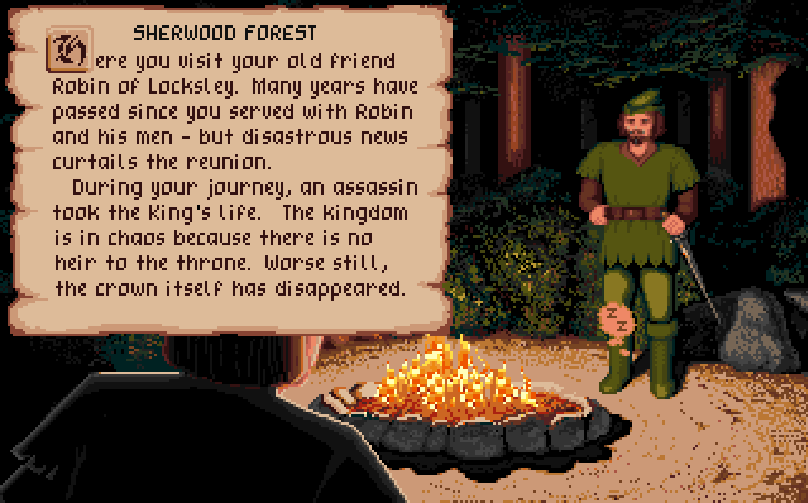
Defender of the crown: the game that put Amiga on the map

For our port we decided to use SAE as our initial source believing that it would be easier, but we ran into some strange inconsistencies. So after much frustration we ended up peeking at the Copperline source and found a lot of solutions there. Like all computers the Amiga had it’s fair share of quirks and unwritten rules, things that makes writing an emulator more difficult.

One benefit however, is that we were not aiming at being cycle exact or 100% true to the original hardware. SAE does a good job at playing demos and games, and while there are titles that it struggles with – it manages to play the majority of titles you throw at it.

For the fun of it

Like many other European developers we grew up with C64 and Amiga as household names, and those computers hold a special place in our hearts. Personally I own several Amiga machines, both real and later FPG implementations, and they still inspire and remind me of a time when computing was fun.

Even by today’s standard the graphics is uniquely warm and vivid

There is a lot of Amiga in Quartex Pascal. We have tried to capture that free spirit that the Amiga represented; the spirit of “it can be done” and that realizing ideas and dreams doesn’t have to be difficult. The IDE houses concepts from languages like High-Speed Pascal, BlitzBasic and Amos. These were the languages we grew up with and that inspired us to become developers in the first place.

So this port is not meant to be better or worse than the emulators already available, it is more a testament to what Object Pascal is capable of, and that you can create just as complex and interesting products as C/C++ or any other language in the same family.

The very first game

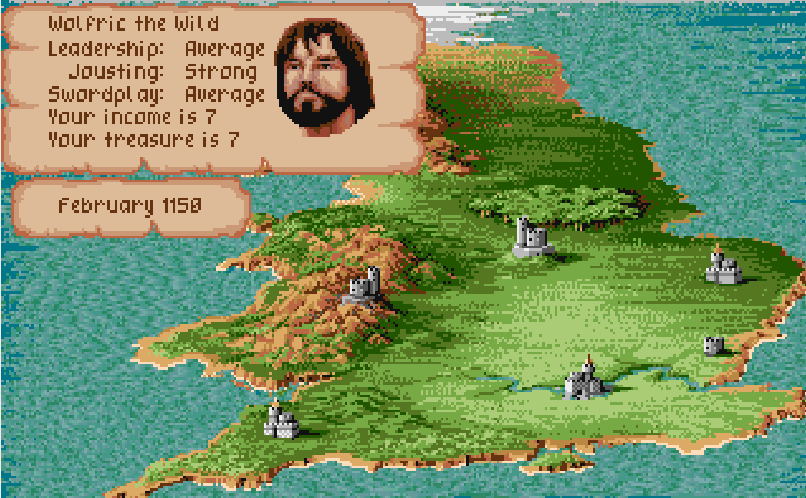
The first game I ever played on the Commodore Amiga was Defender of the crown. This was without a doubt the game that put Amiga on the map. It was so rich in color compared to the 8-bit titles we knew, so vivid and fun to play, that I remember coming home to my C64 feeling somewhat depressed.

Needless to say I began a nagging campaign towards my parents, and eventually they caved and bought me an Amiga 1000. That was pure magic to me and i spent every penny of my savings buying Defender of the crown and Rocket Ranger. This was whole new world compared to the C64. A world where we had a desktop, icons, graphics applications, music applications and software at least a decade ahead of everything else out there.

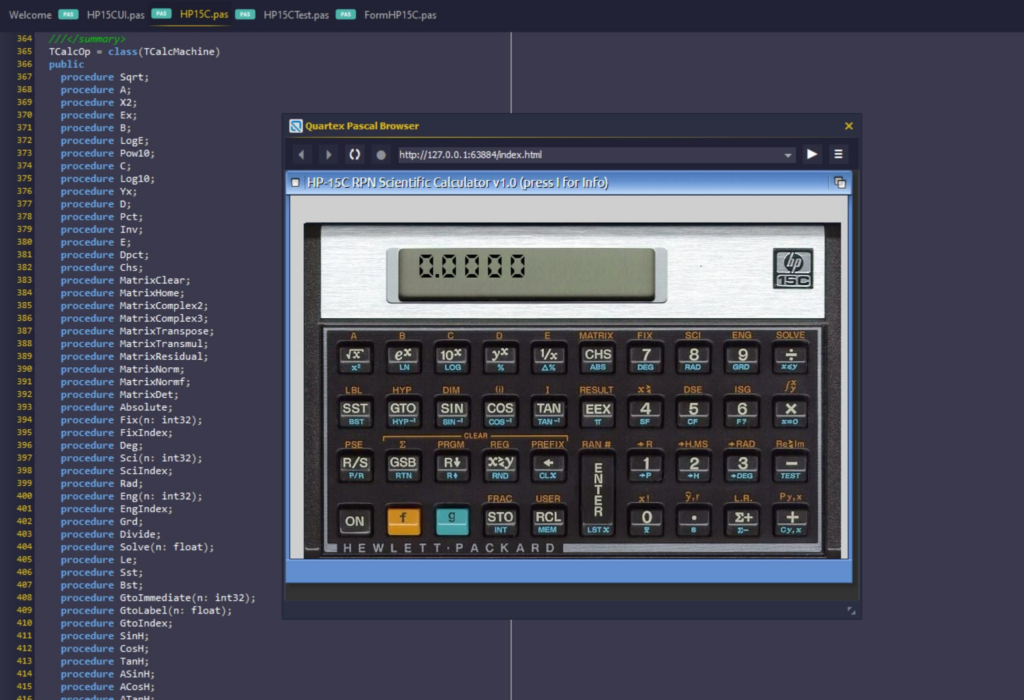
Defender of the crown was the very first game I booted on the ported emulator – and it runs surprisingly well. There are a few quirks here and there that needs to be ironed out, but sound, disk drives and graphics are all in place.

Porting and legality

We have only put a weekend into the porting, but we are roughly 70% compatible with a stock Amiga 500. The moment OCS (original chipset) is covered – we will add the emulator to our examples folder.

After that we will get ECS (enhanced chipset) working, and finally bump it up to an Amiga 1200 with a 68020 instruction set. This is the computer that most people use when emulating so it seems like a worthy goal.

Defender of the crown: The strategy leaves a lot to be desired, but its a feast for the eyes

It must be underlined that we cannot ship the kernel files (the rom files). These are copyright and are still sold. So you will need to provide your own rom-files.

We will however ship the Aros roms, which is an opensource and free alternative to the official Commodore rom files. Aros is usually enough to run most games and demos, but there will be titles that require the official Commodore roms (1.3, 2.x, 3.1).

On the upside, with the code ported to Quartex Pascal, making optimizations and adaptations should be easy. It is a complex piece of engineering – but the difficult part taken care of.

Android virtualization

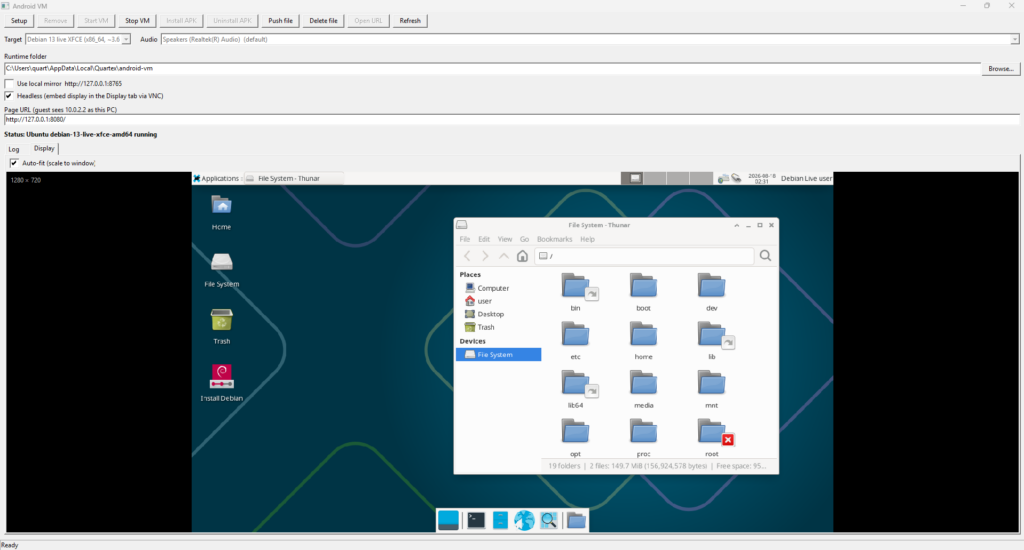
This weekend I decided to jump head first into a skunkworks project, one I have wanted to play around with for a long time. Namely: virtualization and framebuffer / audio streaming. In short, can we run Android in a virtual machine and fully integrate it into the IDE?

The answer is overwhelmingly: yes we can!

Qemu integration

Imagine you create an Android project in Quartex Pascal. You edit the project like you always do, but the moment you click ‘Compile & Run’ you are given an option: do you wish to run the project as usual in the embedded browser? Or do you want to fire up real Android and see how it behaves there?

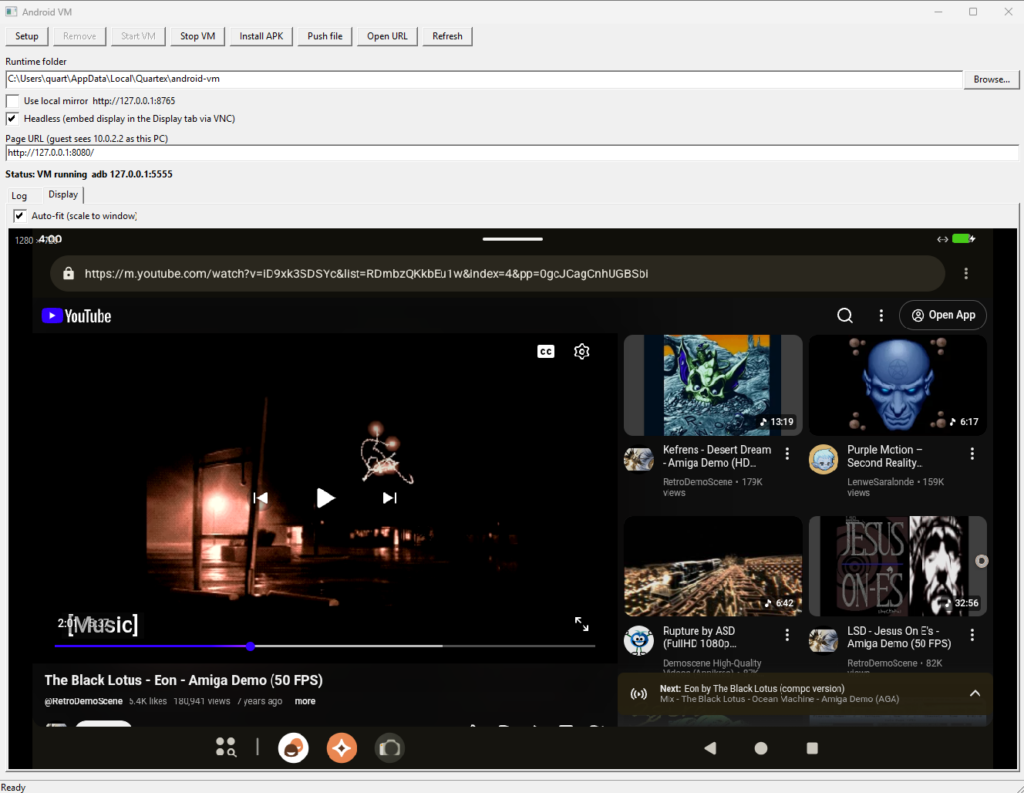
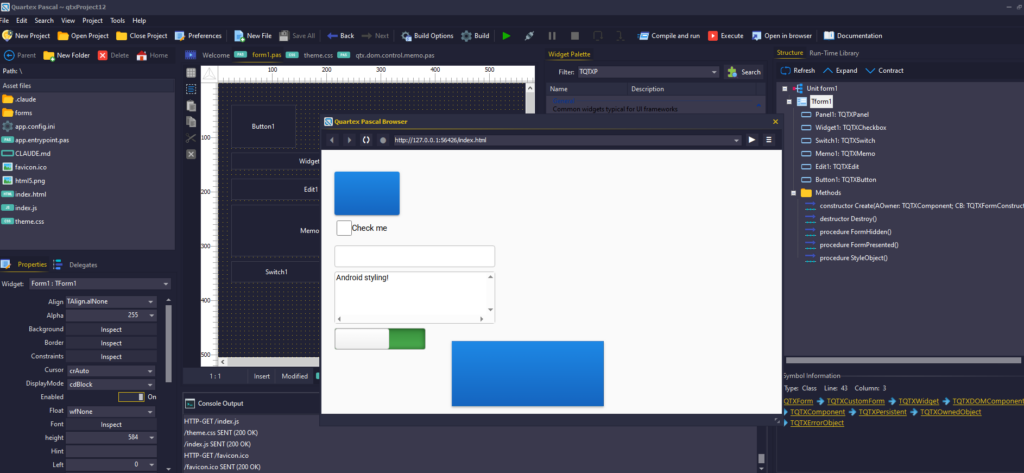
My little test project: here running LineageOS (Android) for x64 headless, rendering to a custom control inside the testbed

You opt for the real deal, and the IDE does everything for you. It downloads the qemu runtime suitable for your system, it fetches a ready to rock Android distro, and it will roll everything back should anything go wrong (like your anti-virus finding it suspicious and blocking it).

When everything is setup the IDE shows it’s browser window – except now it’s rendering the Android display directly. No shortcuts, no SetWindow() hacks, no nonsense. A full implementation of the streaming protocol with a fallback to VNC rendering.

You never have to leave the IDE if you dont want to, and the debugger attaches directly to the Android webview inside the virtual instance. Breakpoints work exactly as they do elsewhere since we support the full Chrome debugger protocol. You get to see how your code behaves on an actual OS.

Rolling real APK’s

This little side-project aligns with a previous weekend project, namely to roll real APK’s from your compiled QTX projects. This is already done and is waiting to be merged into the main branch on our repositories. Some adaptation is needed, maybe a few days work – but its relatively simple stuff.

This is why you see the ‘Install APK’ button on the test UI above. This ships over the apk from the IDE and calls Android to install it properly. All automatic.

Works on all platforms

The setup routine I pieced together is smart enough to check the platform you are on, downloading the binaries and disk image you need. I added an override for emulation rather than translation (so you can emulate Arch64 on your x64 PC if you like, but there is no need for it. You will get a much better experience running x64 LineageOS on your x64 machine due to virtualization).

Here running x64 Linux (Debian) headless under the same interface

It works fine on Windows, Linux and MacOS. It runs fine on x64 and ARM. It also neatly integrated into the QT framework (which we use).

When will it be in the IDE?

It wont make it into this weeks update, maybe not even the one after that, but it’s definitively on our roadmap!

This is incidentally the exact same tech that we will have running on our Quartex Desktop. Where the virtualization runs headless server-side, while you enjoy whatever application or OS you fancy inside a QTX window.

So there is a lot of cool stuff happening in the lab these days!

Webassembly is here

I hope everyone has had a great summer and gotten some well deserved R&R. In Norway the weather is slowly turning darker and colder, and we are back in the labs at full speed. And we have great news for Quartex Developers!

Finally running

Webassembly (WASM) is probably the feature most QTX developers will be the most excited about, and it has been in the pipeline for quite some time. Already back in January of this year we finished the initial assembler and bytecode emitter, so this was only a matter of time.

What has been missing is to implement a new ‘codegen’ for the compiler, one that turns the AST model the compiler builds in WASM bytecodes rather than JavaScript. That is a massive undertaking covering a large corpus of classes, symbols and features unique to the QTX dialect.

The intrinsic functions have all been re-implemented in pure WASM

Thankfully Grok-AI and Claude has been exceptionally useful in dealing with all the boilerplate tasks and infrastructure. It helped us setup all the symbol classes and required scaffolding – leaving us to write the fun stuff, like the stack page layout, var param strategy, set implementation, lambda capture and all the small methods intrinsic (and fundamental) to the language. You know, those functions we rarely think about, like now() and TDateTime being compatible with how Delphi and Freepascal encodes the data.

Once the nitty-gritty was handled, the rest was a matter of doing what the JS codegen does, but in webassembly rather than Javascript.

So without further ado: yes we have a fully functional webassembly codegen, one that can spit out both wat (source code) and binary webassembly files. We also added a separate step that emits the JavaScript bridge, the “glue” code you include to make webassembly functions and procedures callable from your QTX applications.

To variant or not to variant

Anyone familiar with webassembly might have noticed that most compilers excludes support for the variant datatype. In Quartex Pascal variant is heavily used by the RTL and plays a huge part in what makes QTX integrate so well with web platforms. A pascal variant under QTX maps directly to a normal JavaScript variable, which means it can hold not just values – but also element and object references. So the variant datatype in QTX works more or less exactly like variants do in Delphi, including the capability to hold object references to objects and interfaces.

Webassembly however, is a completely different beast. It is by nature closer to real machine-code but with one crucial exception: there are no pointers, only weak references (or with records and class instances, offsets into a buffer). This means that datatypes like variant would have to be treated as a conditional record. The codegen would have to emit code that tags the datatype every time you write to the variable, and read that back whenever you use the value (otherwise it would not know how to interpret the data at runtime). This represents a significant overhead in terms of speed, and even then – it would not be compatible with variants coming from JavaScript.

Since the entire point of webassembly is speed, introducing a datatype that utterly defeats that purpose is counter-intuitive. There is also a question of how much use it would see? It is difficult to envision any scenario where using variant under webassembly brings any benefit. It might be that we add variant support later, but for now we dont support it.

New RTL Namespace

Webassembly does not understand the DOM, nor does it have direct access to the DOM or NodeJS modules. This means that any RTL function or class must be re-written to work inside the webassembly sandbox. That is a formidable undertaking, one we at least partially can look to AI to save time. But it will still take time to ensure the same behavior.

The aim is to introduce a new namespace ‘wasm’, clone the existing system namespace and all its units, and then convert every method that relies on the JavaScript runtime into webassembly. This will give our customers a solid foundation to build advanced and powerful libraries.

As of writing we have not started on that task.

Javascript bindings

As mentioned the compiler generates bindings automatically for you. All you have to do is mark your unit level procedures or functions with the external keyword, just like you would in Delphi when writing a DLL. The codegen picks this up and creates the “glue” needed so you can invoke the methods from JavaScript.

As of writing this is a clean Javascript (*.js) file, not a pascal file. But that will change shortly. We will emit a second file, a unit that gives you a clean pascal interface. Literally a drop-in solution to any of your DOM or Node projects.

What about classes?

Both classes, records and ad-hoc structures are supported. However they do not cross over from webassembly to JavaScript. We might expand ‘external classes’ to include WASM in the future – but for now you talk to your WASM through ordinary functions and procedures.

Inside the webassembly though, you can create classes, records, arrays and collections as much as you want. So porting Delphi libraries to webassembly that relies heavily on classes or records should be fairly straight forward.

This is more or less identical to how you would write and use a dll library in Delphi or Lazarus. Same approach, different paradigme.

Having the compiler emit skeleton classes that just invoke it’s webassembly counterpart would just result in bloat.

Early test version

We will be offering a command-line preview of the webassembly compiler for our customers sometime in the coming weeks. First up now is an update that fixes a few things, in the IDE. We have done a lot of work on the ARM / Linux build (issued to beta testers today).

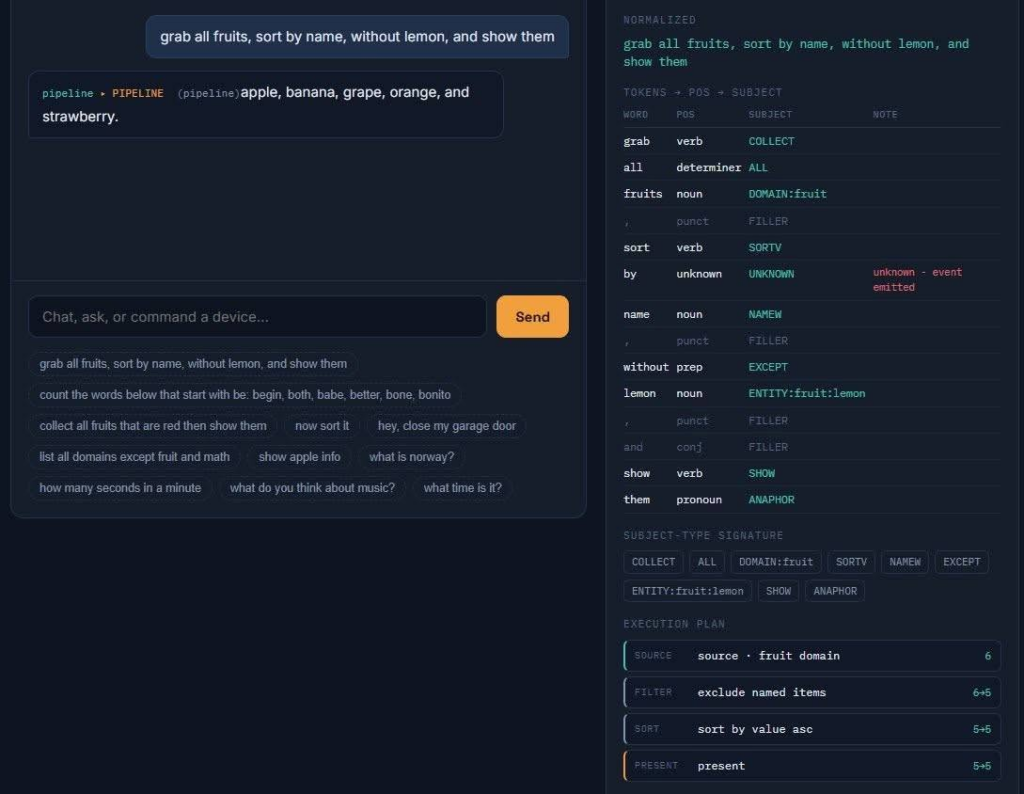
A part of the update includes the SEE (sematic execution engine), a full chatbot engine ready to be dragged & dropped onto your forms or datamodules.

SEE is a chatbot package. It is not LLM but rather a classical NLP with some concepts borrowed from AI. It is far more clever than the old ‘chatbots’ and was created to be the hub for speech-to-text and text-to-speech projects.

With that out we will turn our attention to getting the webassembly commandline compiler into the hands of our customers – and when we feel its mature enough we will bolt it into the IDE.

Quartex Pascal 1.1.0.3 available

We are happy to report that Quartex Pascal version 1.1.0.3 is available for download! This has been one of the largest updates since the initial 1.0 release and contains a wealth for fixes, improvements and exciting new widgets.

Changelog
  • Important adjustments for the claude.md file which makes the AI check the RTL instead of going overboard with ASM snippets. Claude is amazing but it does love to fall back on raw JS unless you explicitly tell it that raw JS should be the last resort.
  • Fixed a critical typcast bug found in TQTXSplitter which caused it to only work when placed directly on a form. This was a simple mistake where we cast to TQTXWidgetContainer, but should have cast to TQTXWidget directly.
  • Fixed an issue with TQTXMoveObserver. This was based on a pattern provided by the now removed polyfill dependencies. TQTXMoveObserver now inherits from the generic DOM observer and watches for left/top changes applied to its owner. In most cases the move observer does not need to be active (it is off by default). It is quite a costly feature so only use it if you need immediate feedback about position changes.
  • Generates skill files that helps claude write QTX compliant code that uses our language dialect’s features. These files will be available shortly as a separate download.
  • Fixed and issue with claude sending garbage to the MCP. This is not an issue with our code. If you notice that it produces suspiciously large files, use notepad++ or GitKraken’s editor and delete the single line claude has messed up. In all cases so far it occurs when claude is generating comments and have multiple agents accessing the same source-file. Its always one massive line of garbage – which thankfully makes it easy to fix.
  • Implemented missing DOM delegates, so we now have delegate classes for all the events the DOM has to offer (clipboard will be in the next update or hotfix). This has resulted in a whopping 24 new delegate classes in the RTL that wraps everything from drag & drop to multi-media events, animations and message handling.
  • Updated all “partial class” definitions that expand TQTXWidget with AddXYZDelegate(), adding helper functions for all 24 new classes. I am pondering if we should instead expose these via a single interface property. They do fill up code suggestion when visible directly on the widget scope.
  • Cleaner abstraction for TQTXRamDisk. The base-class is now in the “universal” package, and then we inherit out specific Node and DOM versions from that. Next up is TQTXLocalDisk for access to the real filesystem. This runs only under NodeJS and access is done via websocket / Ragnarock messages. After that we move on to Dropbox, Azure, FTP, WebDAV and any other protocol suitable for implementation.
  • Aggressive optimization of the theme files. I have moved the windowing styles into their own CSS file to simplify maintenance. So styles like TQTXWindow, TQTXWindowHeader and so on is now in a separate css file.
    The benefit of pushing the windowing styles out of the main theme file, is that AI dont have to chew through all that Base64 encoded image data using for backgrounds and edges. Right now you have to manually add the following tag to the HTML document of your windowing projects (will not be needed later): <link href="window.css" rel="stylesheet">
  • CSS variables (experimental) I have made one theme file that uses css variables. This means that we have 16 colors defined at the top of the css, and all the styles below it use those variables rather than hardcoded colors. If this works well, we will adopt that as standard. We can also extend the theme unit to include stock font sizes (partially in place) and colors. This ensures greater consistency for application UIs.
  • Implemented “quick-search” for fast unit searching, the old dialog is still there if you hit CTRL + SHIFT + F or H, but most people will probably enjoy the quick-search. And yes, we will add and polish it until its as good as it can be.
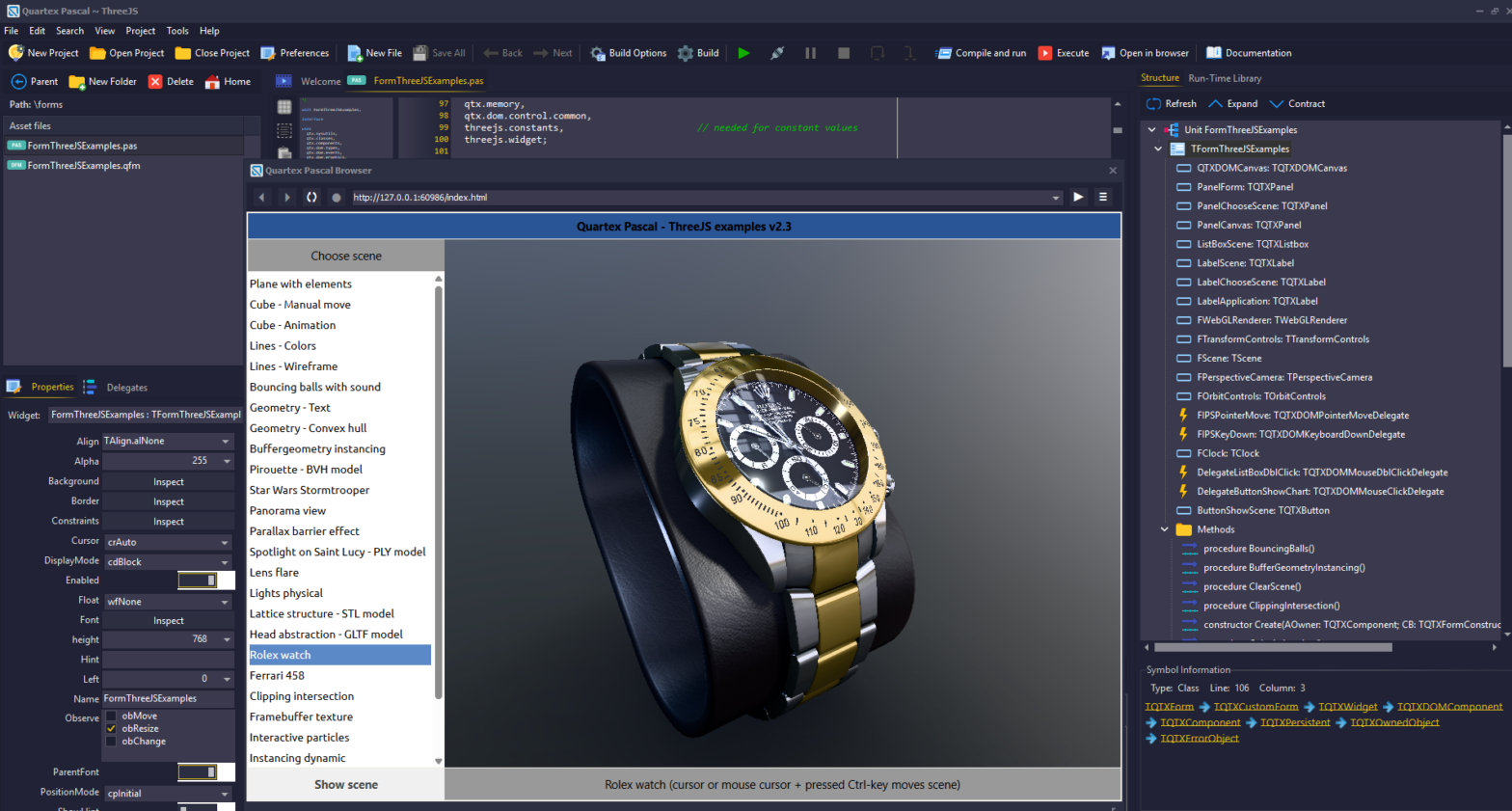
  • Updated all of ED’s demos! His latest Three.js demos demonstrate live raytracing and hyper-realism which is spectacular!
  • Fixed the TQTXColorPicker and TQTXColorSelector, both now work as they should
  • Removed older package that wrapped the Quill RTF editor. This editor was never designed to be resized freely as our widgets do, causing the editor to be all over the place. Please make sure you delete this package (see further down). This has been replaced by our own TQTXRichEditor.
  • Added icons and glyphs to new widgets and any RTL widgets missing a proper glyph (note: this does not apply to the common widgets that are thin wrappers over stock HTML elements)
  • Implemented several new codec classes. These are not wrappers but full implementations in QTX itself. Especially useful is the encryption codecs (RTL already contains RC4 codec, base64, utf8 and url codecs).
    • Implemented full-duplex RTF codec, capable of parsing raw RTF data and converting it to HTML, or the other way around (full duplex).
    • Implemented full-duplex Ansi codec (this is used by the RTF codec)
    • Implemented full-duplex blowfish cipher codec
    • Implemented full-duplex AES cipher codec
  • Added support for Firebird databases (NodeJS only) courtesy of PĂĄl Lillejord. The NodeJS namespace now supports SQLite, MariaDB and Firebird. More database drivers will follow.

There are also other highlights in this update, especially two new widgets which really are full sized applications isolated as drag & drop components.

Full drawing program widget

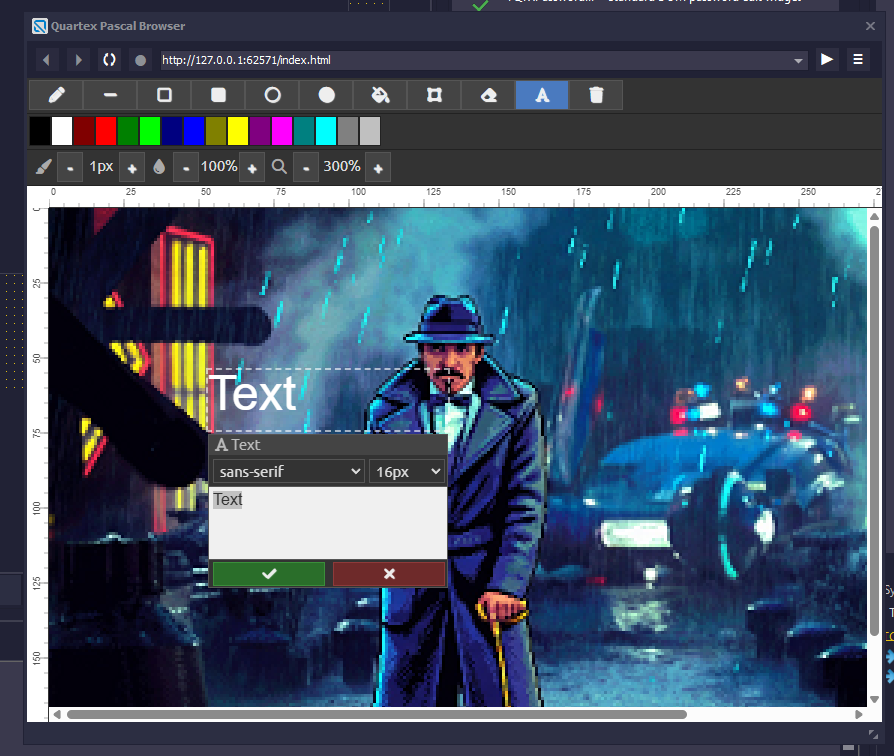
A full drawing program (ms-paint clone with a lot of extras) as a self-contained widget has been added to the RTL (TQTXPaintWidget). Currently it is very humble compared to applications like Paint:Net, but it is an excellent starting point for more elaborate work. In the near future we will add more features to this, including floating windows with the tools, palette and colorwheel, event driven filters (so you can write your own easily) and eventually, layers, shape selection and undo history.

While simple, the painter widget implements the basic functionality. You can use Claude to generate special features for it

As of writing it supports the following “basic” features:

  • Loading and saving images to TStream, which is uncommon for web components. As well as loading from URL
  • Fixed palette (currently only 16 colors, will be expanded to a full 256 color palette shortly.
  • Undo and Redo with standard keyboard shortcut (CTRL + Z, Shift + CTRL + Z for redo)
  • Pencil (freehand) and line
  • Rectangle (outline and filled)
  • Ellipse (outline and filled)
  • Floodfill and erase
  • Movable text tool with preview window
  • Selection and move selection
  • Variable brush size
  • Variable opacity (alpha blend)
  • Proper zoom and ruler-bars

Full RTF text editor widget

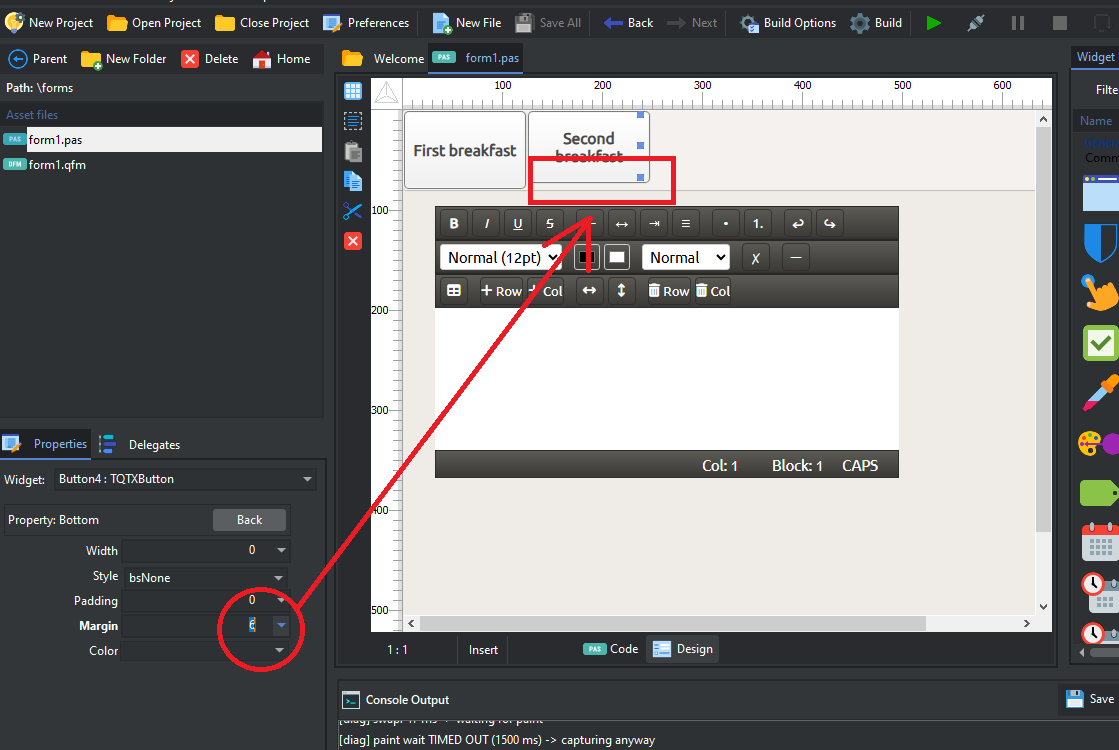
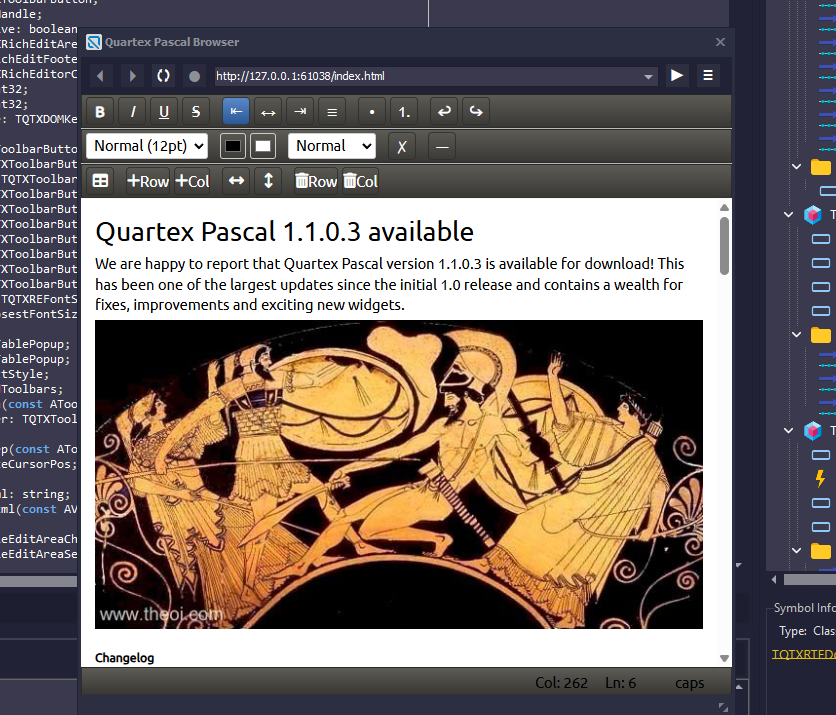
Implemented a full RTF text-editor to replace Quill, one that is designed from scratch to be resized and moved without any problems. The new editor turned out far better than Quill ever was.

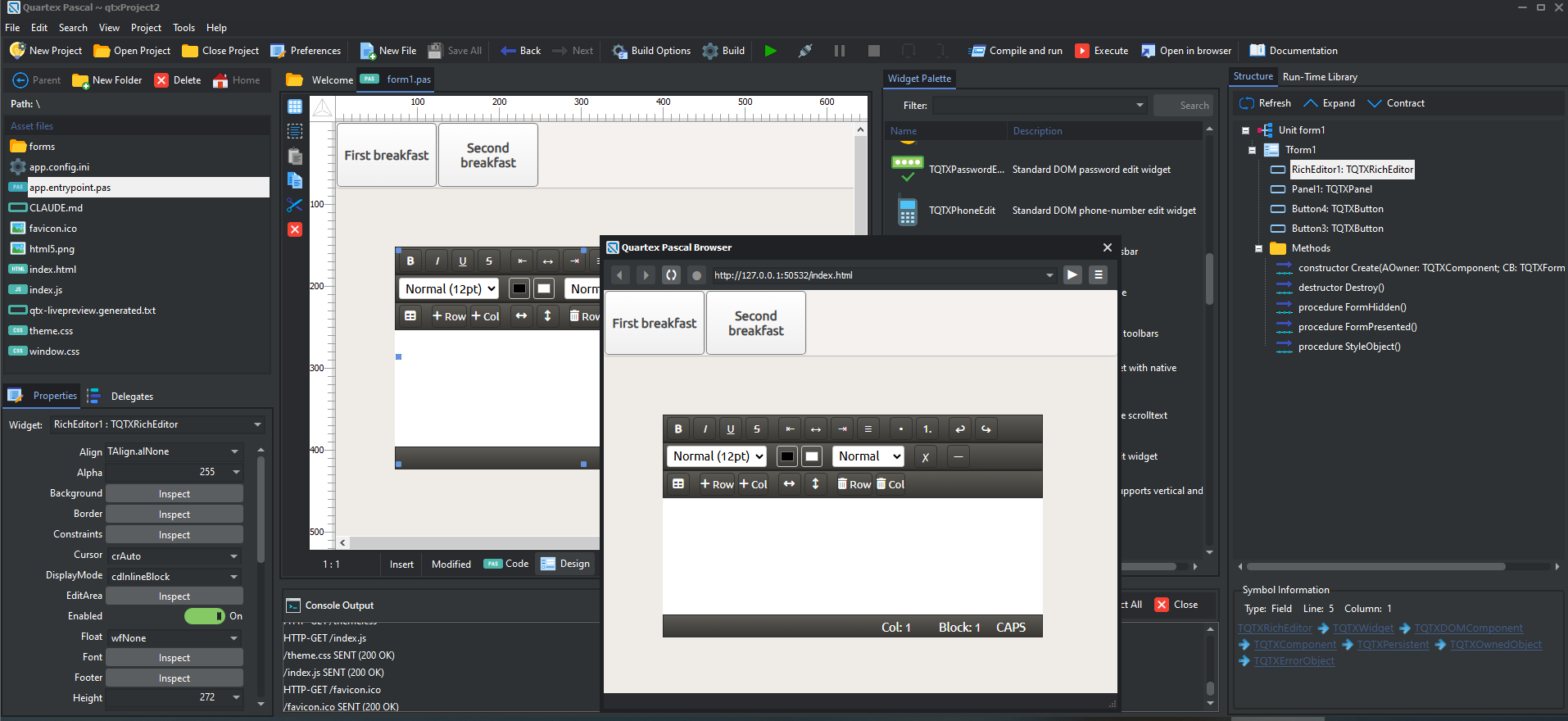
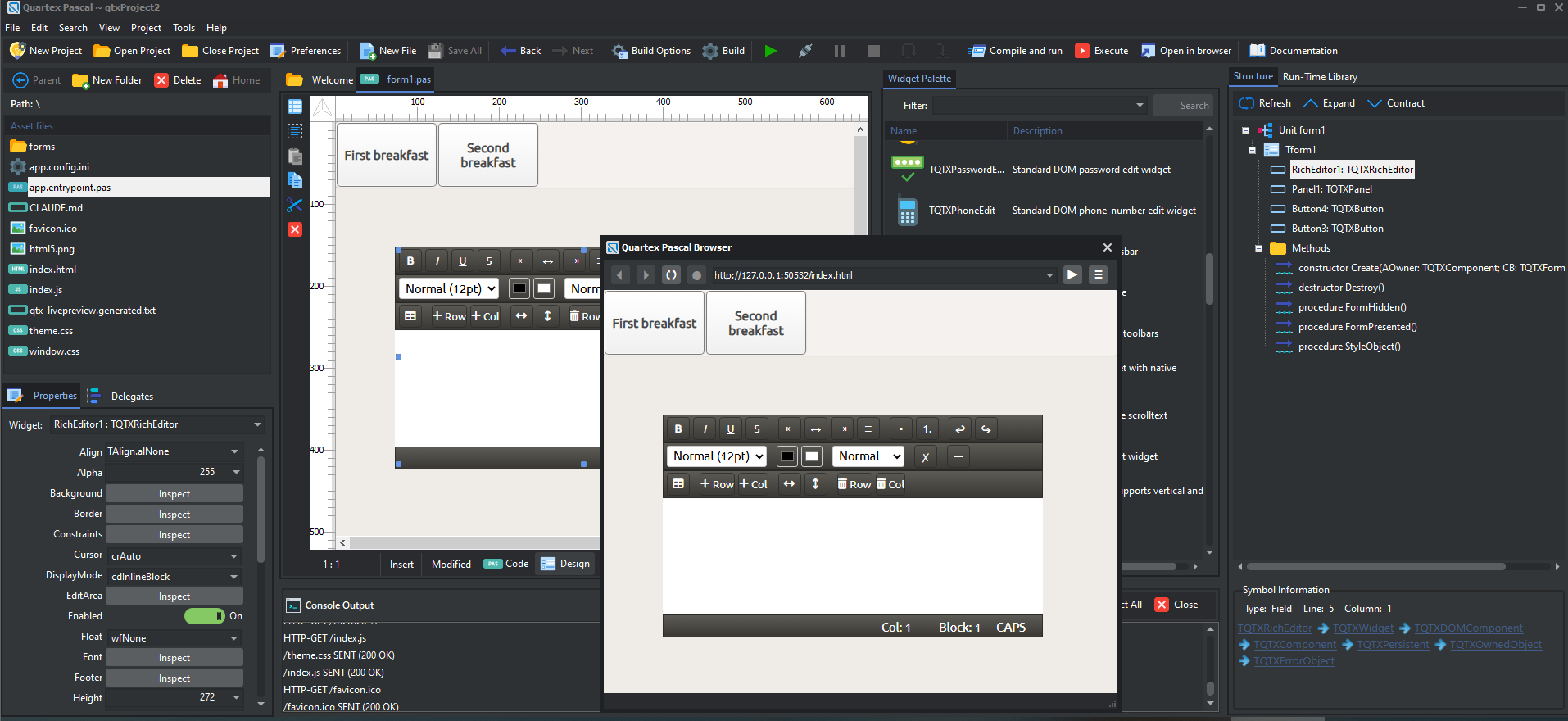
You can now drag & drop a complete text-editor onto your form, with full RTF support

The following features are supported:

  • bold, italic, underline, strikethrough and <hr> separator
  • Variable font sizes (the most common are pre-defined in the dropdown list)
  • Undo & redo keyboard mapping
  • Cut, copy and paste keyboard mapping
  • Bullet and number-lists
  • Resizable tables
  • Add / remove columns and rows
  • Align left, center and right
  • Foreground and background colors
  • Clean formatting of selected text, this is a very important feature when pasting in text or HTML that comes with styling or colors
  • Images, both via code and by pasting from the clipboard
  • Full RTF loading and saving from TStream via the TQTXRTFCodec. It also supports loading from URL.
Obsolete packages

The installer does not remove old content unless you run the uninstaller first. This is to avoid deleting user-packages. But we suggest you delete the old quill package manually since that is now obsolete. You can find the package files here:

C:\Users\<username>\AppData\Roaming\qtx\packages

While you are there you can also delete any *.bak files to clear up some storage space if you like.

NoteMake sure the IDE is not running, as it will apply a read-lock on packages that are mounted.

Obsolete Templates

The Tabbed Dynamic template is now obsolete. So you should delete the following files (unless you did a clean uninstall first):

  • File: visual.dynamic.tabs.ini
  • Folder: visual.dynamic.tabs

These can be found here:

C:\Users\<username>\AppData\Roaming\qtx\templates

Documentation online

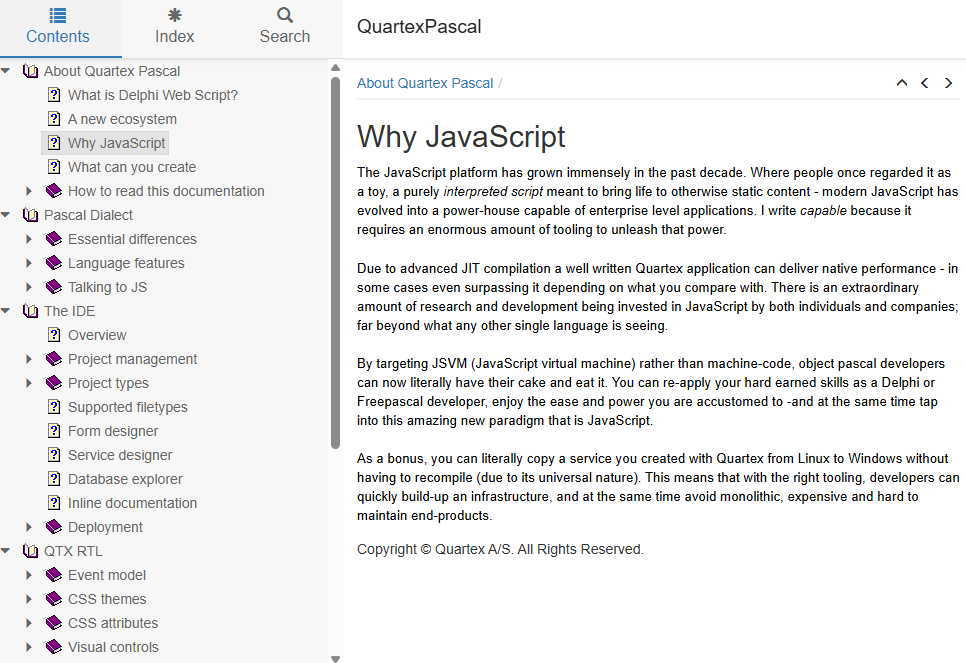
We are happy to report that the helpfiles are now available here on our website! This is the same documentation that ships with Quartex Pascal for offline use. We will be expanding the documentation quite heavily to get as much as possible in there for easy access.

Having the documentation online makes life easier. It also helps AI to pick up the dialect

You can access the documentation here, or from the website header at any time.

Demonstrations

Since we are using WordPress (no point re-inventing the wheel), we have opted for IFrame’s, which is a smooth way of showing live demonstrations inline (see below).

Above: A simple WebGL demo showing a cube with six attached boxes to each face flying around a simple phong shaded landscape.

As we move forward, a full demonstration page will be setup for everyone to enjoy!

Quartex Pascal: Easter thoughts

I hope everyone is enjoying their easter! Norway is lovely at the moment with plenty of sun and the sound of birds and nature waking up again.

Between gardening chores and preparing for summer I decided to spend a little time with Claude to spice things up a bit on the NodeJS side – and write down some reflections on where Quartex is going.

Where are we right now?

Happy Easter everyone!

The roadmap we had setup to span the entire year has (architecturally) more or less, been completed in half that time (a few tickets left like drag & drop database). We have support for datamodules in the bag, we have support for non-visual components (a pre-requisite for data binding) – and we have added a full MCP Server for deep AI integration directly into the IDE.

I feel the IDE now covers the fundamental features you expect from an IDE, but obviously with room for refinement, improvement and expansion.

What I mean with refinement is to take a feature that is already there and simply make it better. A good example is the search and replace dialog. The dialog itself works fine, but a normal ‘quick search’ panel that appears beneath the current editor tab-page is what people are used to from Delphi and Visual Studio. The old dialog will still be there, but only appear when you want it to.

There are several such cases in the IDE, cases where we have the baseline functionality in place – but it could use some specialization and polish. I don’t feel there too many such cases, but enough that you notice them. So we have a few such ‘sub tasks’ that we will be doing.

Going forward

If we look at the IDE as a tree with a several branches, who in turn have child branches of varying complexity -the following off-shoots will see more love as we move forward:

  1. IDE behavior
    • Missing details, general polish and refinement
      • Search & Replace (covered above)
      • Welcome tab is too heavy. Get rid of the browser instance and instead have a clean, native, to the point welcome page.
      • Expose more options for toolbars and panels in popup menus, making it easier to tune the IDE as you want it. This can later be expanded so be loaded/saved. I dont feel layout config files are needed unless we allow drag & drop re-orientations of the IDE elements (e.g being able to drag the inspector and place it somewhere else). We can return to this for the Lazarus build later, as Lazarus have some good platform independent solutions for this.
      • Reduce themes to ‘dark’ and ‘light’, no need to ship a myriad of themes nobody actually uses. On Linux and MacOS we have to follow the system themes either way
        • Automatically switch editor colors based on theme. This is only really possible if we settle on a “light or dark” scheme. Right now there is no way to know what colors match any given theme, and having separate color-set-files for each theme is overkill.
      • Do a better job with the default colors for the code-editor. Right now Pascal and JS looks ok, but the other supported filetypes could use some adjustment.
      • implement missing language syntax to our unit interface parser. Right now the parser expects the ‘unit’ syntax rule to be followed. ‘program’ must be added, and it should handle units with no unit or program declarations without throwing an exception.
        • Add support for missing “property xyz: TType read external ‘sym’ write external ‘sym’ [default xyz];”
        • Add support for partial external class. While only useful when wrapping a library compiled with QTX, the parser needs to deal with it
        • Add better support for method declarations in classes (e.g “method xyz: boolean” is the same as “function xyz: boolean”).
    • Add support for robo-help extraction, so that ///<symmary> blocks can be extracted from the source-code and exported as a JSON documentation stub, markup or HTML.
      • Add IDE support for JSON documentation stubs. If a package ships with such stubs they should be cached by the IDE (extended help). This is especially useful for AI which will query about classes and methods, and the IDE will be able to answer quickly when there are 1:1 direct match on entity names.
    • Make internal logging more consistent, there are still spots where logging only happens when an error occurs, while other parts of the IDE is better at logging circumstantial info that can be useful when hunting for complex issues. We need both, and it must be consistent throughout the entire codebase.
    • Export log viewer as a separate application. This helps keep the codebase lean and the log viewer will not be affected by UI locks within the IDE process should they happen.
    • The component palette needs to support user-defined categories. Just our own system packages will quickly fill up the list once all the classes that should be TQTXComponents are upgraded, and it will quickly become difficult to maintain. Especially when third party packages start growing.
  2. AI and LLM integration
    • Look at ways to add closer integration with local LLM runtimes like LM-Studio, so free models can be used with the IDE in a similar fashion as Claude.
      • Search LAN for LM-Studio instances (if possible) for easier overall use
      • Implement our own console window for LLM use directly in the IDE
    • Add support for more local clients. Currently the IDE can emit claude.md into new projects which teaches claude what our MCP server offers and general language guidelines. Other online AI vendors have similar but different init structures
  3. Project support
    • Allow the IDE to have multiple projects open at the same time, with a simple way of moving between them
    • Add support for project groups (*.qprg file-type needed), which can be very powerful in client / server debugging scenarios. Personally I prefer to open two instances of the IDE.
    • Explore PhoneGap and React project types for building native binaries directly from the IDE
    • Add support for turning a node server into native apps. This functionality is already there, we just need to expose it in the IDE
    • Look at adding Arduino and Micro-controller project types, as well as DB projects with a ready to use setup – and other project types that would simplify getting started
  4. Form design
    • Captions for non-visual components
    • Redraw composition and region sorting
    • Collection pattern: Add support for visual management of TQTXCollection and TQTXCollectionItem’s
    • Designer behavior isolation: Right now the behavior of the form-designer is a part of the actual design control and largely triggered by mouse-down, mouse-move and mouse-up handlers. These should be isolated as a separate component. Once isolated this allows us to implement different behaviors separately in a clean way.
    • Vertical designer: Right now we have a normal form designer, where controls can be positioned anywhere, or aligned to a particular edge or client region. A top-down designer that operates with horizontal panels stacked one after the other -panels that always are 100% in width, is much more suited for top-down web pages. The same design philosophy is used by GTK on Linux (and QT Creator for that matter) to ensure proportional form layout regardless of scaling size.
    • Offscreen WYSIWYG HTML5 live rendering: We need to explore what the QT Framework (which we use for multi platform builds) can deliver. On Windows with a clean offscreen Chromium wrapper it’s relatively simple to do live rendering, but we would need to make it work on Windows, Linux and MacOS for both x64 and ARM. There are some smaller alternatives, like HTMLComponents and Pixie, but again — it needs to be tested first.
  5. RTL and code generation
    • Threading
      • DFM to code
      • Unit interface parsing
      • Thread the build process (partially done)
    • Ragnarok
      • Implement protocol client codegen. This will expose the client side messages as easy to use methods (e.g fClient.Login( .. ), fClient.DoSomething( .. ) and so on).
      • Implement protocol server codegen. The generated component(s) exposes server side responses as easy to use handlers. Protocols are always client-initiated, so the handshake and any replies are always in response to a client calling. The relationship between request and response messages is defined in the protocol designer.
      • Implement IQTXTransport interface for all supported network objects (http/s, websocket/s, udp, tcp/s etc). This allows an attached ragnarok client or server to ‘peek’ at incoming data, and take ownership of a received message. This way the same TQTXHttpClient or TQTXHttpServer component can be shared by several tasks without colliding. You can drop a TQTXHttpClient component and use it for posting data to a website, and at the same time have a protocol using it as a transport medium without the two tasks colliding.
  6. The entire RTL has plenty of classes that should be lifted up to TQTXComponent, but it will take time since the RTL is large and changes can have unexpected consequences if not properly planned
    • NodeJS specific
      • Move all server and client types up to TQTXComponent
      • Cover more modules, both standard and popular NPM modules
      • Generate wrappers for more database types (postgres, firebird etc)
      • Add support for automatically created datamodules for all node.js projects. This requires changes in the build-config and also TQTXApplication and how child objects register.
  7. Documentation
    • NodeJS needs to be properly documented, as well as all the default widgets. There is also a lot of ‘how to’ and general understanding that should be added. While a lot of self-evident to developers that already know object pascal, be it they come from Delphi or Lazarus, being able to find reliable info directly in the product is obviously important

The above points are not carved in stone, but rather what I am thinking about at the moment. Some might be pushed forward once we publish our next roadmap, others might be finished before it even becomes a ticket on the map.

AI and the future

Instead of relying solely on Claude, which can get expensive if you are using AI heavily on larger projects – we have actually taken the step of training our own QTX specific LLM model from scratch!

AI is perfect for boilerplate, boring tasks. Like creating new theme files!

This is not the same as just injecting RAG data into an existing vector database (that would be easy). Instead we rented a GPU rack that is building an LLM model specifically for Quartex Pascal. We based the model on the latest Qwen3-Coder series, so the baseline is already highly specialized for programming tasks and fluent in a myriad of languages. When the model comes back it will be quite large (somewhere in the 85 gigabyte range) and needs to be pruned. When the pruning is done we will have a model between 10 and 18 gigabytes (read: normal size).

The benefit of having our own LLM is that it can easily be hosted on our domain and used for automation. But it also means our customers can run our model locally, which further reduces cost compared to Claude or the other commercial solutions. There is also something about being in control of your own AI.

Ai changes everything

Like most developers in their 40s and 50s we are used to IDE’s where we, the human developer, is all that matters. While I still think that is valid – there is no escaping that AI changes how we view and use an IDE.

One of the core design goals for Quartex Pascal was to not add a lot of crazy complex functionality to the IDE which becomes impossible to maintain over time. Instead, I wanted to keep the IDE small, compact and instead keep refining the most commonly used IDE functionality (read: what you expect to find) until that becomes as good as humanly possible.

I think this design philosophy is it’s own reward right now, because had we gone crazy and added a ton of functionality, stuff that would now be replaced by an AI, we would have to maintain a ton of features that no longer makes sense. Of at least is starting to lose it’s importance as LLM evolves.

The benefit of AI is not so much that it takes over. An AI is good at doing the boring parts, the repetitive tasks, the boilerplate stuff – leaving you to focus on what you actually want to create. An AI has by definition no actual creative spark, there is no observer there. And while it’s become very clever at finding solutions to surprisingly complex tasks — you still need an environment where you can implement code or techniques that are new, or novel, or breaks with tradition in some way.

So instead of us adding everything from fancy recordable macros to advanced refactoring functionality which is rapidly becoming extinct — we will instead focus on making the fundamental features shine.

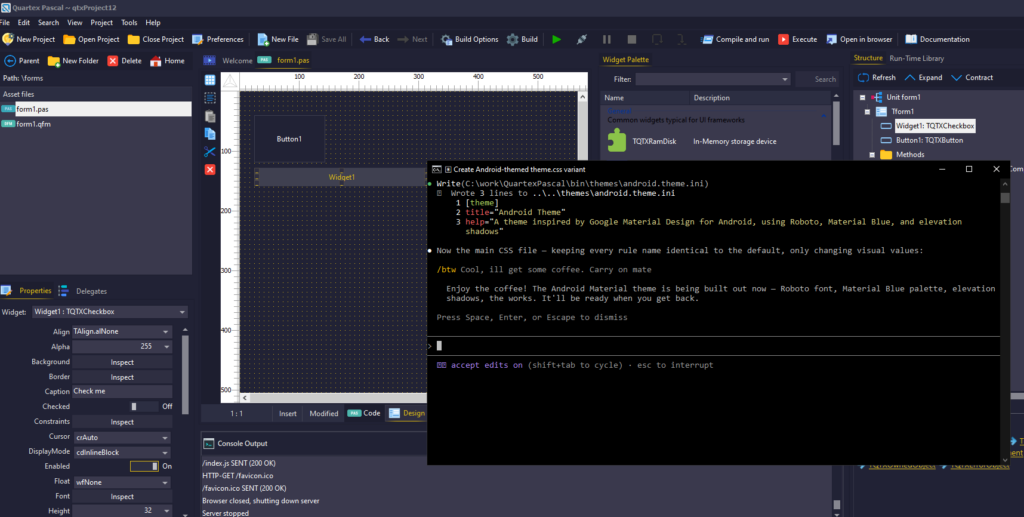
Telling Claude to roll an Android theme.css file takes a few minutes, but it’s ultimately a thing AI can easily automate

For example, spending weeks on a CSS theme designer would be cool ( would actually love that). But I think most people will just explain how the CSS styling works in QTX to the AI, and it will spit out a much better looking new CSS file in a couple of minutes.

The same goes for graphics. Eventually we will no doubt add AI graphics generation to the system, which means the AI will literally be able to spit out not just code, but also the graphics for a website, game or app you are making.

Using AI with Quartex

We are putting the finishing touches on our MCP server, which is built into the IDE itself, making for smooth integration with AI providers such as Antrophic. We are using Claude code ourselves at the moment, but we are also busy training our own LLM models from scratch.

MCP server?

If you are new to AI: an MCP server is a REST server that an AI model use to request information. The MCP implements functions for reading units, adding units, indexing the RTL and files, accessing documentation -or even creating, opening and compiling projects. The AI will also receive any error messages from the compiler so that it can see when something went wrong – and jump straight to fixing it.

Hosting your own AI

Using Claude Code is surprisingly affordable considering the amount of code it can churn out for you in record time. But the more complex the challenges are, the more intensive and token hungry the AI will be. Commercial systems like Claude can burn through $100 in record time if you are not careful, so there is definitively an argument for running a ‘lesser model’ on your own hardware.

Depending on what type of applications you work on, or what you need help with, there are thankfully some free alternatives. One of them is to run the AI locally on the same computer, or on another computer connected to your network.

LM Studio makes it absurdly simple to download, run and use local AI models

In my case I have a powerful laptop that I work on in my home office, but I also have a powerful stationary PC in our guestroom that is rarely used. The stationary PC has a much more powerful GPU than my laptop, and will run the AI models better than my laptop ever could.

What you need

The easiest way to host your own AI is, in my view, to use LM Studio. This is a free desktop client and server that runs on Mac, Linux and Windows. It allows for direct download of LLM models from huggingface (the website where the latest and greatest open source models can be found) via the GUI, and it takes care of drivers for your particular GPU and CPU configuration (e.g differences between AMD and Intel for example).

You really don’t need to be AI savvy to use it, it’s literally select a model, download, run. It is the Apple iPhone of LLM runtimes to put it like that.

You can search for LLM models to use directly in the LM Studio application

Another cool feature of LM Studio is that it supports MCP registration (which is important when it comes to Quartex Pascal). So once you have downloaded a model, you can register the QTX MCP in LM Studio – and voila! LM Studio can now talk directly to Quartex Pascal. Granted, it’s not going to be as smooth as installing Claude code, but if you just want to try something out and get your feet warm, LM Studio is the way to go.

Broader scenarios

I mentioned that I have a scenario where I actually have 2 machines, and that it would be nice if I could use my stationary machine to do the heavy lifting, while I enjoy coding on my laptop This is also possible with LM Studio, but with a few caveats:

  • You can access LM Studio as a web service. This requires a web UI and is somewhat limited. It will be a bit like talking to Grok or ChatGPT, not quite the same as running the AI via the commandline.
  • You can access LM Studio via the commandline, using the tool “lms” (downloadable as a separate install. You dont need this if you plan to just run locally, the LM Studio installer gives you this automatically). This is the magic bullet that makes local AI sane, and it’s more or less the same as Claude code. Well, except you get to decide what machine you host the model on, and you dont need a subscription.

So for my scenario the recipe becomes easy:

  1. Install LMS Studio on my stationary PC
  2. Download a suitable LLM model and run that
  3. Enable the server (see config window)
  4. Register Quartex Pascal MCP server, use machine name rather than IP so that it asks your router for the IP every time. That way it wont care if the router gives me a new IP between workdays.
  5. Install lms on my laptop
  6. Edit the appdata\local\lms\lms.config file, add a section for my stationary PC:
    [servers]
    lm_studio = tcp://my-stationary-pc-name:port
  7. open up a command-line window and type “lms -chat”. It should connect to the server straight away since you only have one server registered

Final thoughts

Getting to grips with AI is getting much easier, regardless if you use an external provider, or roll your own.

We hope this article was useful. Make sure to check back soon as the IDE with MCP support should be out later today!

Quartex IDE AI support

Those of you that keep up with our discord channel or Facebook group already know that we have been busy adding AI support to the IDE, but if you are just starting out with Quartex Pascal or are giving it a try – here is what will be available in the next IDE update.

Full MCP server

Claude AI has (as you probably know) opened up for working with the AI locally. Meaning that you install a small program called “Claude code”, and you can then use that with a project folder where Claude can then see and work with your project files.

In order for this process to be smooth, Claude needs as much information as possible. This is especially important for new programming languages, or dialects that have features and syntax differences – so that AI can make full use of the language when building code.

The only way to do this properly is to have an MCP server. MCP is short for Model Context Protocol, and it’s a protocol that allows the AI to ask for information and query knowledge it lacks.

The IDE now has a full MCP server implementation in the IDE itself

Instead of us just shipping a vanilla MCP server, adding a dependency you might not way -we decided to implement the whole thing ourselves. So Quartex Pascal now has a full blown MCP server bolted into the IDE.

This gives QTX developers some advantages:

  • The AI has direct access to the RTL. This means that it knows what classes are actually there, rather than “guessing” based on Delphi or Lazarus.
    • The AI is able to understand the RTL at a deeper level, not just blindly guess functionality based on method names and idioms. It builds a map of the RTL, picking up our dialect of object pascal in the process – and inspects how things work, not just superficial syntax mimicry.
  • The AI has direct access to our documentation. As with any language and framework, there are some subtle features that only make sense if you have actually read the documentation (or have followed the evolution of a language long enough).
  • The AI can create projects, open projects and interact with the IDE directly
  • Custom claude.md file which defines the parameters of the language and how things are done, resulting in better code

Needless to say, this opens up for some very powerful projects!

How do you use it?

So far we have only worked with Claude Code, but you can actually use whatever AI model you like, including models you host yourself at home.

Once everything is setup, you can ask Claude to create anything!

Just a brief overview of how to get started:

  1. Sign up to Claude. You need a pro account for this, the free version will not do.
  2. Download and install Claude-Code, this is a shell application that allows Claude (the remote AI) to talk to your local MCP server, and access the files in your project. It basically acts as a bridge between the cloud, your project data and the MCP server.
  3. Create a new project (a node project for example) in Quartex Pascal
  4. Copy our Claude.md file into said folder. This describes the Quartex Pascal language and basic guidelines for how things are done in Quartex Pascal (as opposed to Delphi, Lazarus or any of the other languages out there).
  5. Open up a shell window and cd to the project folder
  6. type “claude init” in the shell window. Claude will then create a folder where it keeps the context for your project (so it remembers what you are doing and things you talk about), index files and get everything ready.
  7. With that, the project is setup for AI and you can tell Claude what you need! Like, “implement a log server. I also need a drop in client class for my DOM based projects that talks to the log server. Use Websocket as the transport mechanism”. And voila, Claude will crank out a websocket based server for you ready to rock.

Obviously, the better description you give the better the results you get. It’s often a good idea to plan ahead so that your prompts are as descriptive as possible.

Availability

We are hoping to push this feature out to our customers ASAP, so either this weekend or at the beginning of next week.

And we are just getting started!

TQTXPlatform

The only external dependency to the Quartex runtime library so far, has been platform.js. This is a tiny library that provides in-depth info about the browser. Things like operating system, version, the browser type and other useful tidbits. Well, that dependency is no more since we now have our own, pascal only version in the RTL!

Same interface

Since we want as much as possible to be the same between NodeJS and DOM projects from an RTL point of view -we now have a simple base-class called TQTXPlatform in the unit qtx.platform.pas (system package).

We then have TQTXPlatformDOM in qtx.dom.platform.pas (DOM package) which inherits from TQTXPlatform. And likewise, TQTXPlatformNode in qtx.node.platform.pas within the NODE package.

Being able to query the runtime environment uniformly is always good

So depending on project type, you include either qtx.dom.platform or qtx.node.platform to your uses clause if you need info about the runtime environment.

Properties

The following properties are exposed uniformly:

  • Runtime: TQTXRuntime
  • Version: TQTXPlatformVersion
  • OSType: TQTXPlatformType
  • OSArchitecture: TQTXArchitecture
  • Product: string
  • Manufacturer: string
  • Description: string

The ‘OSType’ enum is perhaps the most useful besides ‘Runtime’, and provides the operating system you are running on (as far as it can be detected). The following systems are checked for:

  • pmUnknown (returned if no OS can be recognized at all)
  • pmAmiga
  • pmWindows
  • pmLinux
  • pmUnix
  • pmMac
  • pmiOS
  • pmChromeOS
  • pmAndroid
  • pmEmbedded
  • pmWindowsPhone
  • pmXBox
  • pmPlaystation
  • pmNintendoSwitch

While Mac is technically a Unix system, it made sense to separate it from systems like FreeBSD, OpenBSD or IBM AiX. We also included the 3 most prominent gaming platforms (XBox, PS and Nintendo) since these have browser capability.

How to use?

The baseclass (TQTXPlatform) has a class property that is initialized depending on what unit you have included. So for a DOM project you will naturally add “qtx.dom.platform” to your uses clause. You can then access the instance like this:

TQTXPlatform.Current.[property]

For example:

writeln( TQTXPlatform.Current.Description );

Changes to the RTL

There were a couple of places in our code that we had lose functions for doing similar things earlier (which called platform.js). These are now obsolete and everything in the RTL that needs to check things like browser type etc – now uses the platform system.

Just be aware of this if you recompile any code that uses the older functions.

The code will be in the next RTL update!