
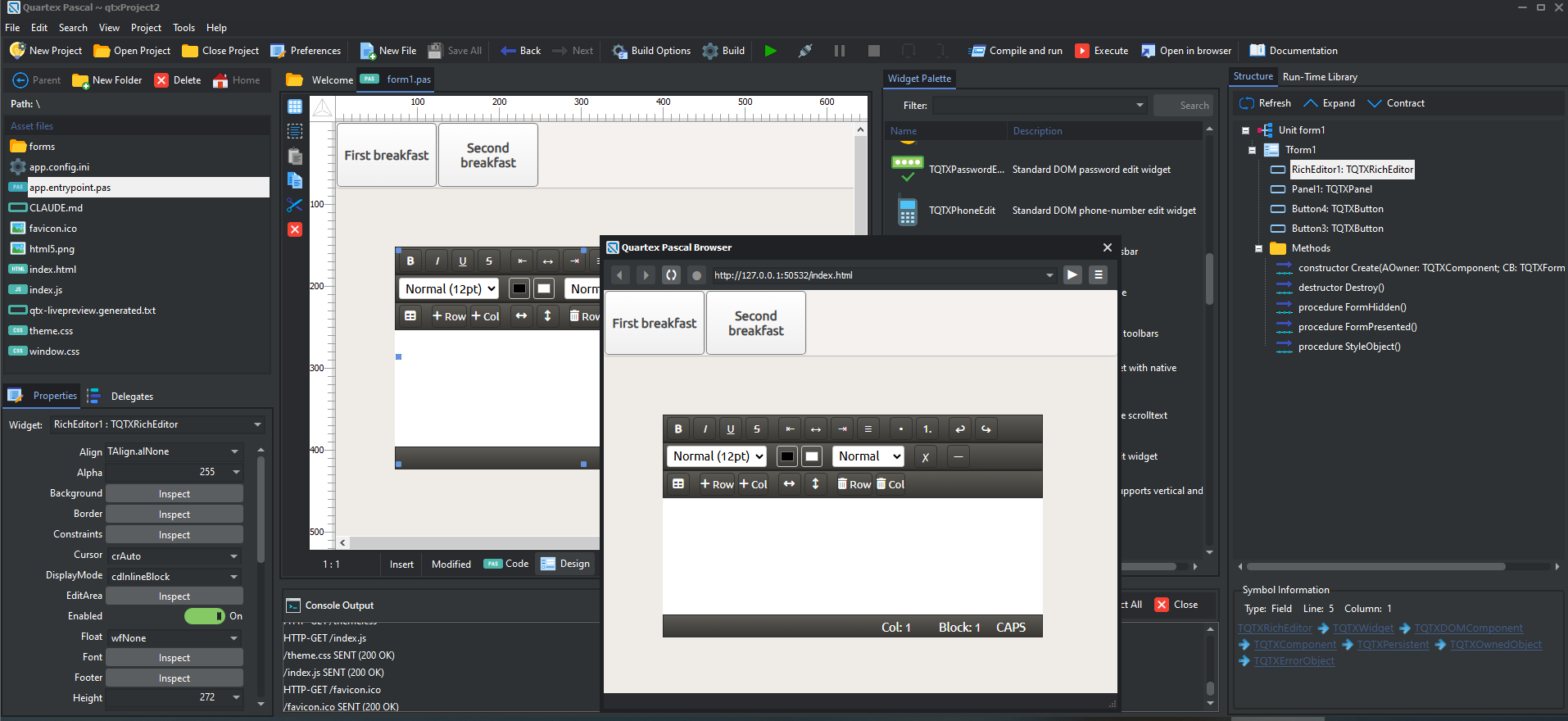
Quartex Pascal operates with a representative mock designer where your widgets (controls) are visual boxes you move around, align, resize like any form designer. The reason we opted for this is simply because HTML5 is extremely costly to render. But that is about to change.
Live rendering
The IDE now sports a headless rendering process, allowing us to turn your form designs into a WYSIWYG surface. This is still very early work, but the render pipeline is finished and we are optimizing it where it’s neeed.
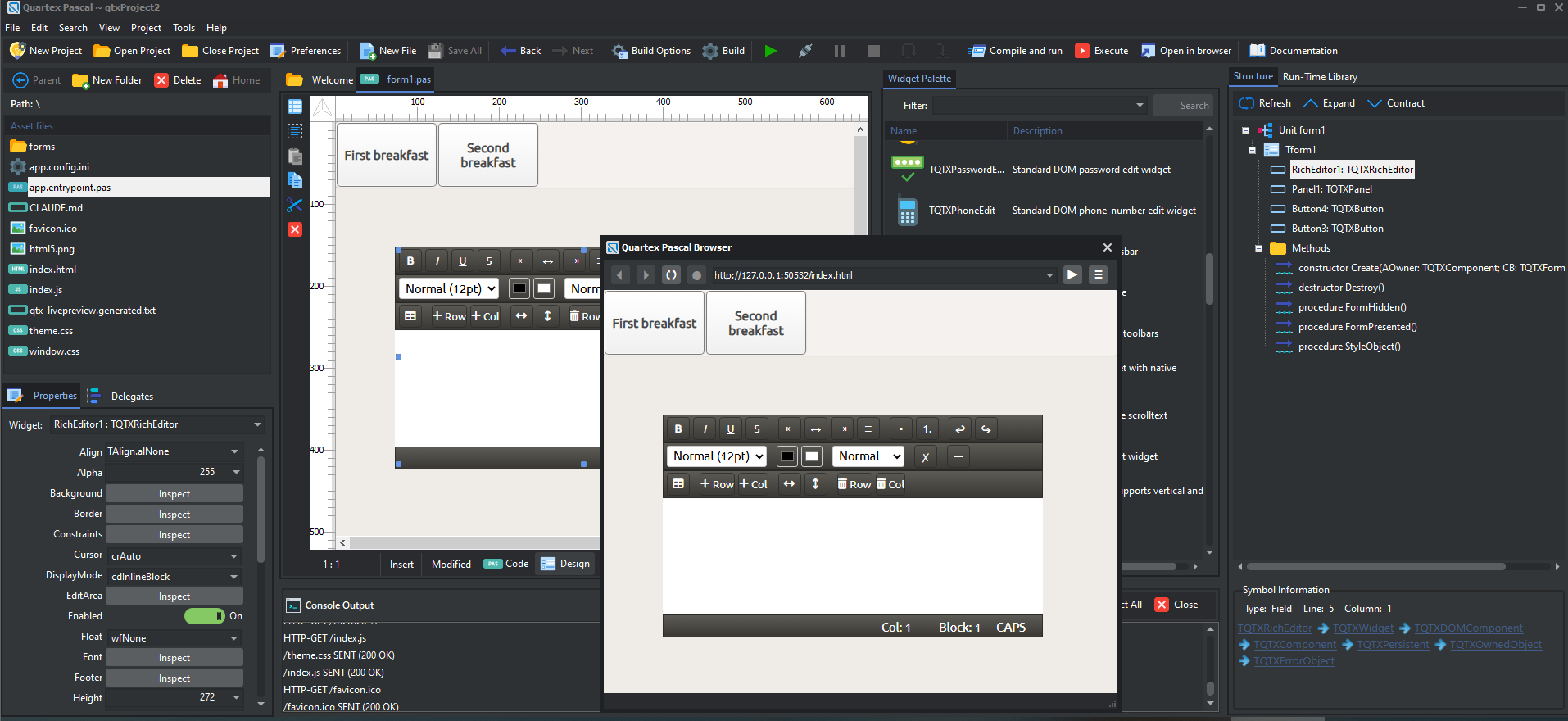
As you can see from the picture above, it renders 1:1 and you get exactly what you will see at runtime (the overlapping form is runtime).
The margin conundrum
The Quartex RTL implements alignment support, just like people are used to from Delphi and Lazarus. While the layout engine is easy enough, there are edge cases where the layout can drift. This typically involved external libraries where you have a piece of code that applies margins or padding ‘ad hoc’ without abiding by the CSS. Or alternatively, where you have CSS rules that enforce margins that are immutable (that QTX cannot easily override).
In order for the RTL to fit into how JS and HTML5 developers typically work, we had to do a minor, scalpel change to the RTL and how the TQTXWidget.PerformAlign() method align widgets.
The challenge is that the browser can operate with two completely separate X and Y axis, which depends on the boxing model used by the document, as well as how we obtain the bounding rectangle of a widget (read: the not so subtle difference between BoundsRect and ClientRect).
We have done a full audit of the RTL and pinpointed 5 spots where we had to slightly adjust the code. These are quite small adjustments, not something people would notice straight away – but it’s worth mentioning them.
What have we changed
The RTL operates with predominantly absolute positioning, but supports all the modes that HTML5 has to offer. But since HTML doesn’t have any “align” property like we are used to – and that means we had to compensate for it when widgets are aligned.
If the CSS margin of left|top is set on a widget, then we have to subtract that together with any right|bottom margins to get the correct edges. This part has been obvious all along, but the consequences for the widgets that make up the RTL has made us reluctant to alter it.
This has now been fixed. We let HTML5 do the heavy lifting and thus we avoid having to adjust between two separate axis.
Scalpel work
Most developers will not really notice this change. It is minor and not really visible from a form-designer centric view. All your forms will work exactly like before, there is no data changes involved.
If however you have written your own custom widgets where you have adjusted for the old right|bottom margin, then you need to update that code.
It’s a one-liner, but it matters since margins can radically affect your layout.
AdjustRect is your friend
In Delphi and Lazarus there is a method called AdjustClientRect(). This method is for exactly the same reason, namely to adjust a rectangle with the border-size and padding. Ours only differs marginally.
Our RTL likewise has this method, cleverly disguised as AdjustRect() in the border object. The border object is intrinsic to TQTXWidget, so it’s always available. And just like you would call it when dealing with the client region in Delphi, the same applies here.
procedure TMyWidget.Resize(Orientation: TQTXOrientation);
begin
  var lBound := Border.AdjustRect( ClientRect );
end;
Benefits
The benefits is that margins work like they should under aligned widgets.
The widgets stay within the rectangle the alignment has allotted for them, and the margin ‘eat’ of that space, rather than magically growing into sibling space.
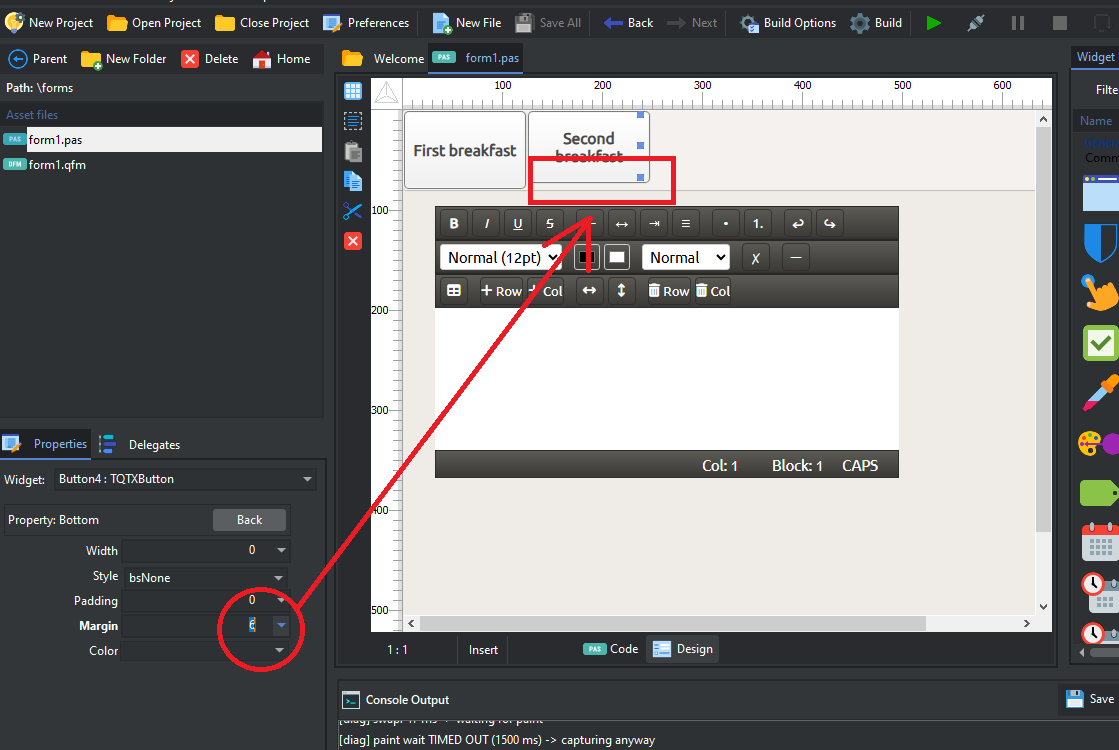
This change matters a lot for the live rendering, as it needs to know exactly where to place the bounding rectangle, and it must match 100% on all edges.