Those of you that keep up with our discord channel or Facebook group already know that we have been busy adding AI support to the IDE, but if you are just starting out with Quartex Pascal or are giving it a try – here is what will be available in the next IDE update.
Full MCP server
Claude AI has (as you probably know) opened up for working with the AI locally. Meaning that you install a small program called “Claude code”, and you can then use that with a project folder where Claude can then see and work with your project files.
In order for this process to be smooth, Claude needs as much information as possible. This is especially important for new programming languages, or dialects that have features and syntax differences – so that AI can make full use of the language when building code.
The only way to do this properly is to have an MCP server. MCP is short for Model Context Protocol, and it’s a protocol that allows the AI to ask for information and query knowledge it lacks.
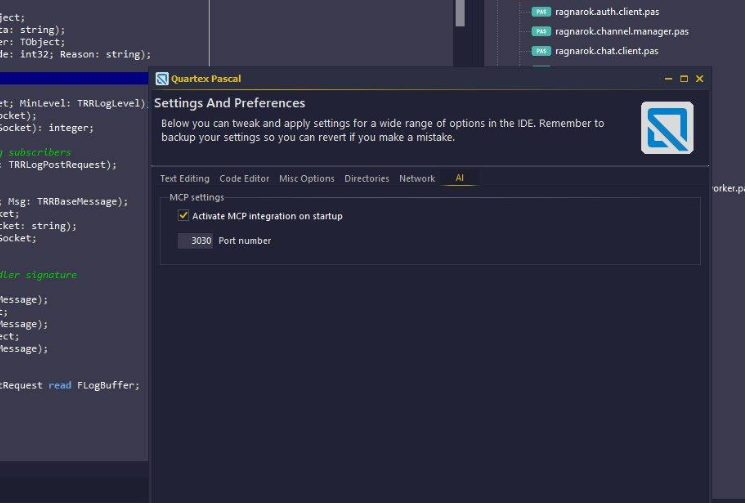
Instead of us just shipping a vanilla MCP server, adding a dependency you might not way -we decided to implement the whole thing ourselves. So Quartex Pascal now has a full blown MCP server bolted into the IDE.
This gives QTX developers some advantages:
- The AI has direct access to the RTL. This means that it knows what classes are actually there, rather than “guessing” based on Delphi or Lazarus.
- The AI is able to understand the RTL at a deeper level, not just blindly guess functionality based on method names and idioms. It builds a map of the RTL, picking up our dialect of object pascal in the process – and inspects how things work, not just superficial syntax mimicry.
- The AI has direct access to our documentation. As with any language and framework, there are some subtle features that only make sense if you have actually read the documentation (or have followed the evolution of a language long enough).
- The AI can create projects, open projects and interact with the IDE directly
- Custom claude.md file which defines the parameters of the language and how things are done, resulting in better code
Needless to say, this opens up for some very powerful projects!
How do you use it?
So far we have only worked with Claude Code, but you can actually use whatever AI model you like, including models you host yourself at home.
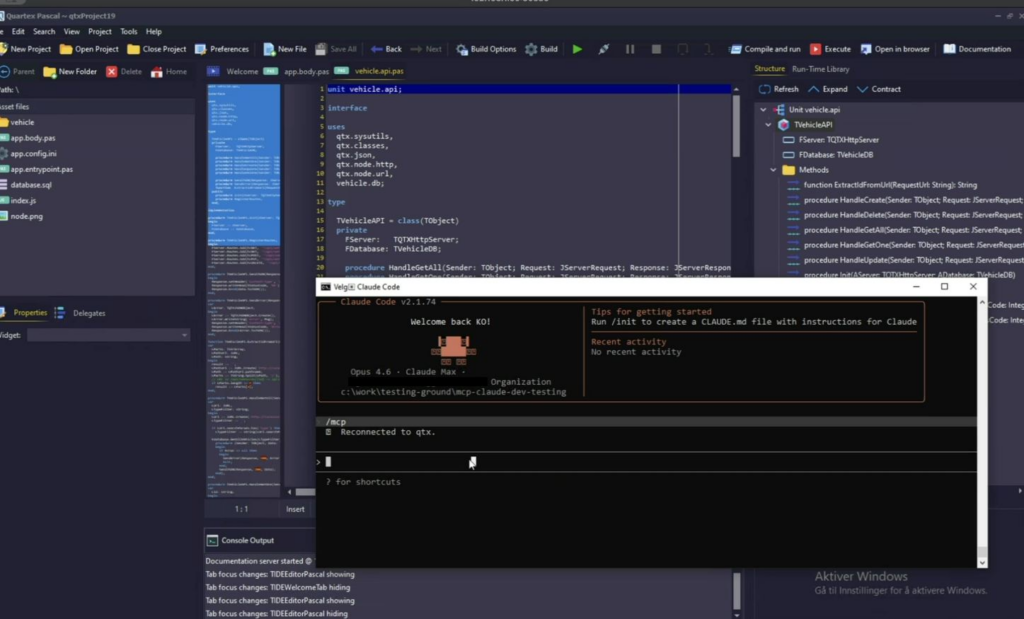
Just a brief overview of how to get started:
- Sign up to Claude. You need a pro account for this, the free version will not do.
- Download and install Claude-Code, this is a shell application that allows Claude (the remote AI) to talk to your local MCP server, and access the files in your project. It basically acts as a bridge between the cloud, your project data and the MCP server.
- Create a new project (a node project for example) in Quartex Pascal
- Copy our Claude.md file into said folder. This describes the Quartex Pascal language and basic guidelines for how things are done in Quartex Pascal (as opposed to Delphi, Lazarus or any of the other languages out there).
- Open up a shell window and cd to the project folder
- type “claude init” in the shell window. Claude will then create a folder where it keeps the context for your project (so it remembers what you are doing and things you talk about), index files and get everything ready.
- With that, the project is setup for AI and you can tell Claude what you need! Like, “implement a log server. I also need a drop in client class for my DOM based projects that talks to the log server. Use Websocket as the transport mechanism”. And voila, Claude will crank out a websocket based server for you ready to rock.
Obviously, the better description you give the better the results you get. It’s often a good idea to plan ahead so that your prompts are as descriptive as possible.
Availability
We are hoping to push this feature out to our customers ASAP, so either this weekend or at the beginning of next week.
And we are just getting started!