

This weekend I decided to jump head first into a skunkworks project, one I have wanted to play around with for a long time. Namely: virtualization and framebuffer / audio streaming. In short, can we run Android in a virtual machine and fully integrate it into the IDE?
The answer is overwhelmingly: yes we can!
Qemu integration
Imagine you create an Android project in Quartex Pascal. You edit the project like you always do, but the moment you click ‘Compile & Run’ you are given an option: do you wish to run the project as usual in the embedded browser? Or do you want to fire up real Android and see how it behaves there?
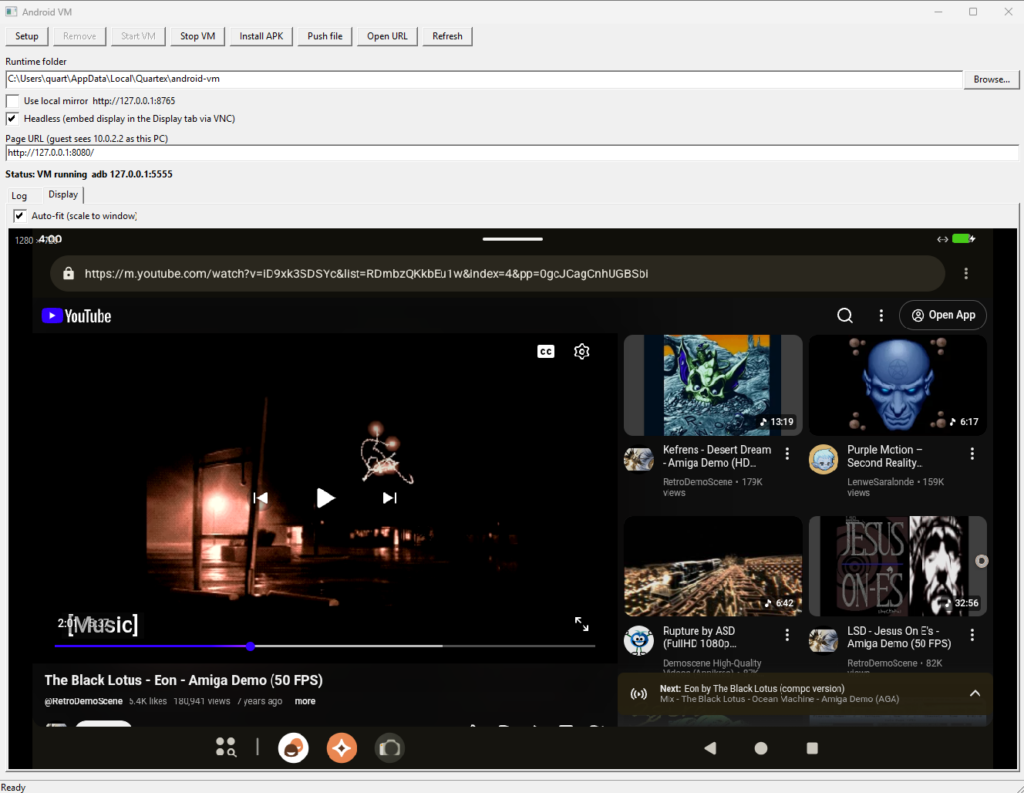
You opt for the real deal, and the IDE does everything for you. It downloads the qemu runtime suitable for your system, it fetches a ready to rock Android distro, and it will roll everything back should anything go wrong (like your anti-virus finding it suspicious and blocking it).
When everything is setup the IDE shows it’s browser window – except now it’s rendering the Android display directly. No shortcuts, no SetWindow() hacks, no nonsense. A full implementation of the streaming protocol with a fallback to VNC rendering.
You never have to leave the IDE if you dont want to, and the debugger attaches directly to the Android webview inside the virtual instance. Breakpoints work exactly as they do elsewhere since we support the full Chrome debugger protocol. You get to see how your code behaves on an actual OS.
Rolling real APK’s
This little side-project aligns with a previous weekend project, namely to roll real APK’s from your compiled QTX projects. This is already done and is waiting to be merged into the main branch on our repositories. Some adaptation is needed, maybe a few days work – but its relatively simple stuff.
This is why you see the ‘Install APK’ button on the test UI above. This ships over the apk from the IDE and calls Android to install it properly. All automatic.
Works on all platforms
The setup routine I pieced together is smart enough to check the platform you are on, downloading the binaries and disk image you need. I added an override for emulation rather than translation (so you can emulate Arch64 on your x64 PC if you like, but there is no need for it. You will get a much better experience running x64 LineageOS on your x64 machine due to virtualization).
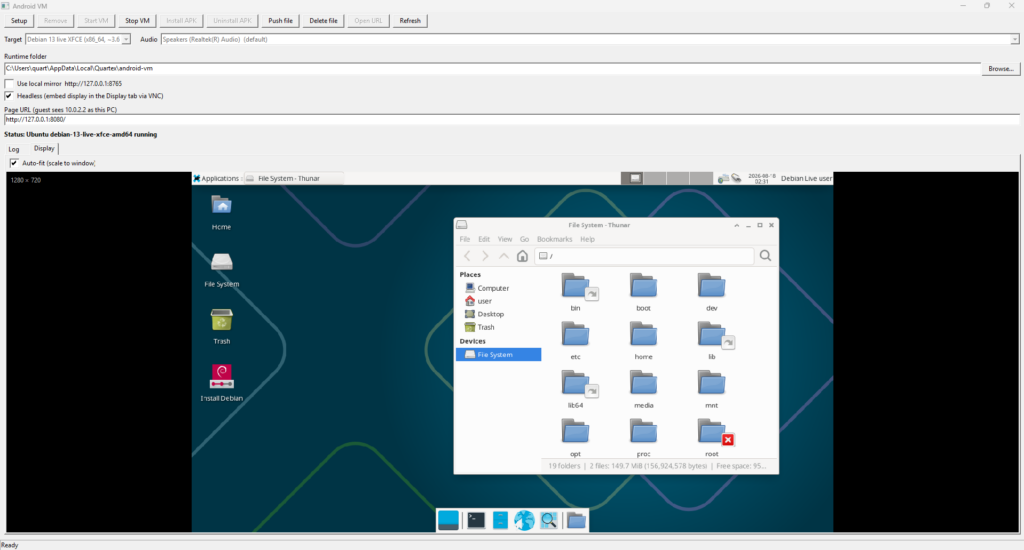
It works fine on Windows, Linux and MacOS. It runs fine on x64 and ARM. It also neatly integrated into the QT framework (which we use).
When will it be in the IDE?
It wont make it into this weeks update, maybe not even the one after that, but it’s definitively on our roadmap!
This is incidentally the exact same tech that we will have running on our Quartex Desktop. Where the virtualization runs headless server-side, while you enjoy whatever application or OS you fancy inside a QTX window.
So there is a lot of cool stuff happening in the lab these days!