
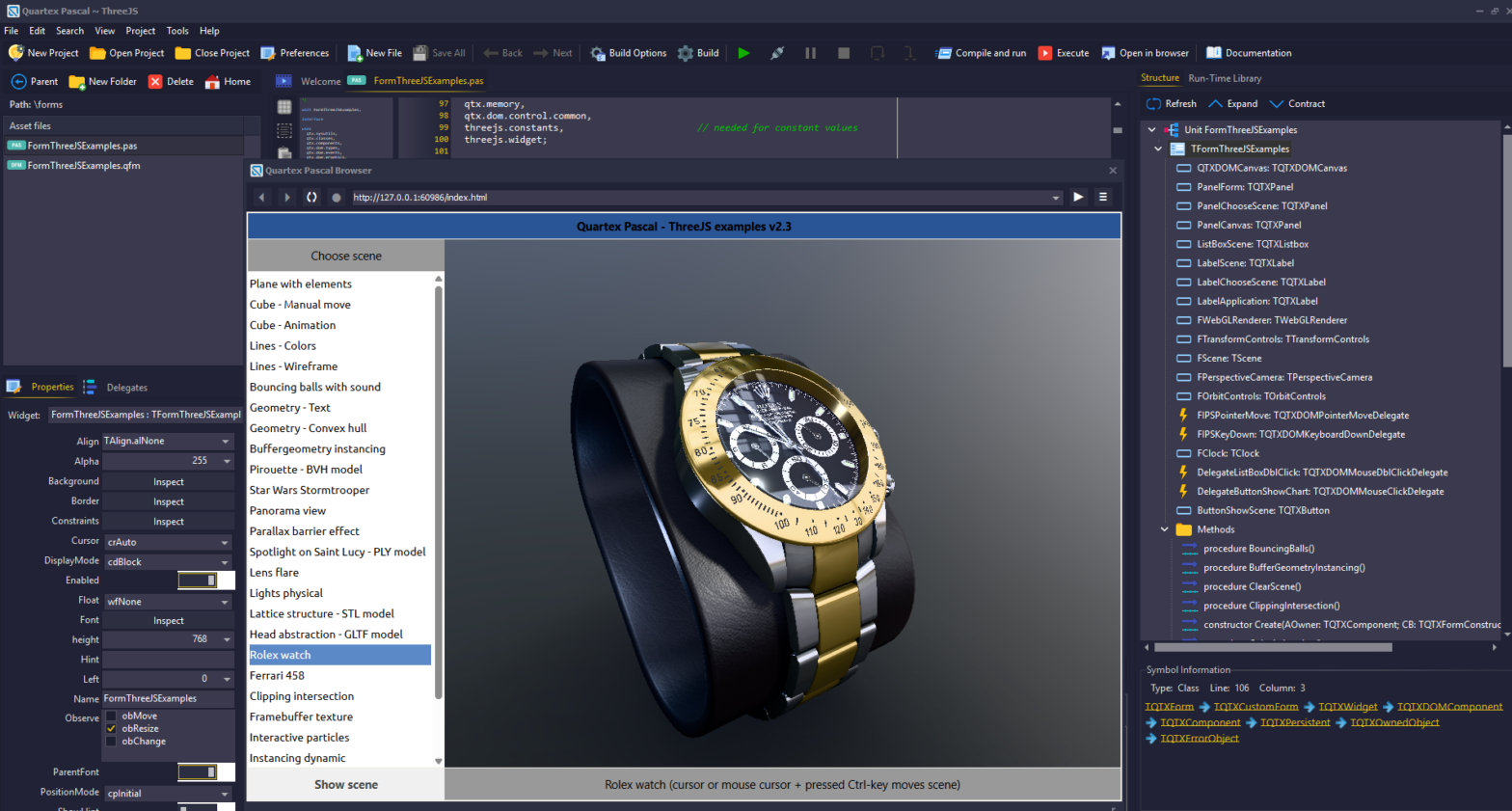
We are happy to report that Quartex Pascal version 1.1.0.3 is available for download! This has been one of the largest updates since the initial 1.0 release and contains a wealth for fixes, improvements and exciting new widgets.
Changelog
- Important adjustments for the claude.md file which makes the AI check the RTL instead of going overboard with ASM snippets. Claude is amazing but it does love to fall back on raw JS unless you explicitly tell it that raw JS should be the last resort.
- Fixed a critical typcast bug found in TQTXSplitter which caused it to only work when placed directly on a form. This was a simple mistake where we cast to TQTXWidgetContainer, but should have cast to TQTXWidget directly.
- Fixed an issue with TQTXMoveObserver. This was based on a pattern provided by the now removed polyfill dependencies. TQTXMoveObserver now inherits from the generic DOM observer and watches for left/top changes applied to its owner. In most cases the move observer does not need to be active (it is off by default). It is quite a costly feature so only use it if you need immediate feedback about position changes.
- Generates skill files that helps claude write QTX compliant code that uses our language dialect’s features. These files will be available shortly as a separate download.
- Fixed and issue with claude sending garbage to the MCP. This is not an issue with our code. If you notice that it produces suspiciously large files, use notepad++ or GitKraken’s editor and delete the single line claude has messed up. In all cases so far it occurs when claude is generating comments and have multiple agents accessing the same source-file. Its always one massive line of garbage – which thankfully makes it easy to fix.
- Implemented missing DOM delegates, so we now have delegate classes for all the events the DOM has to offer (clipboard will be in the next update or hotfix). This has resulted in a whopping 24 new delegate classes in the RTL that wraps everything from drag & drop to multi-media events, animations and message handling.
- Updated all “partial class” definitions that expand TQTXWidget with AddXYZDelegate(), adding helper functions for all 24 new classes. I am pondering if we should instead expose these via a single interface property. They do fill up code suggestion when visible directly on the widget scope.
- Cleaner abstraction for TQTXRamDisk. The base-class is now in the “universal” package, and then we inherit out specific Node and DOM versions from that. Next up is TQTXLocalDisk for access to the real filesystem. This runs only under NodeJS and access is done via websocket / Ragnarock messages. After that we move on to Dropbox, Azure, FTP, WebDAV and any other protocol suitable for implementation.
- Aggressive optimization of the theme files. I have moved the windowing styles into their own CSS file to simplify maintenance. So styles like TQTXWindow, TQTXWindowHeader and so on is now in a separate css file.
The benefit of pushing the windowing styles out of the main theme file, is that AI dont have to chew through all that Base64 encoded image data using for backgrounds and edges. Right now you have to manually add the following tag to the HTML document of your windowing projects (will not be needed later):<link href="window.css" rel="stylesheet"> - CSS variables (experimental) I have made one theme file that uses css variables. This means that we have 16 colors defined at the top of the css, and all the styles below it use those variables rather than hardcoded colors. If this works well, we will adopt that as standard. We can also extend the theme unit to include stock font sizes (partially in place) and colors. This ensures greater consistency for application UIs.
- Implemented “quick-search” for fast unit searching, the old dialog is still there if you hit CTRL + SHIFT + F or H, but most people will probably enjoy the quick-search. And yes, we will add and polish it until its as good as it can be.
- Updated all of ED’s demos! His latest Three.js demos demonstrate live raytracing and hyper-realism which is spectacular!
- Fixed the TQTXColorPicker and TQTXColorSelector, both now work as they should
- Removed older package that wrapped the Quill RTF editor. This editor was never designed to be resized freely as our widgets do, causing the editor to be all over the place. Please make sure you delete this package (see further down). This has been replaced by our own TQTXRichEditor.
- Added icons and glyphs to new widgets and any RTL widgets missing a proper glyph (note: this does not apply to the common widgets that are thin wrappers over stock HTML elements)
- Implemented several new codec classes. These are not wrappers but full implementations in QTX itself. Especially useful is the encryption codecs (RTL already contains RC4 codec, base64, utf8 and url codecs).
- Implemented full-duplex RTF codec, capable of parsing raw RTF data and converting it to HTML, or the other way around (full duplex).
- Implemented full-duplex Ansi codec (this is used by the RTF codec)
- Implemented full-duplex blowfish cipher codec
- Implemented full-duplex AES cipher codec
- Added support for Firebird databases (NodeJS only) courtesy of Pål Lillejord. The NodeJS namespace now supports SQLite, MariaDB and Firebird. More database drivers will follow.
There are also other highlights in this update, especially two new widgets which really are full sized applications isolated as drag & drop components.
Full drawing program widget
A full drawing program (ms-paint clone with a lot of extras) as a self-contained widget has been added to the RTL (TQTXPaintWidget). Currently it is very humble compared to applications like Paint:Net, but it is an excellent starting point for more elaborate work. In the near future we will add more features to this, including floating windows with the tools, palette and colorwheel, event driven filters (so you can write your own easily) and eventually, layers, shape selection and undo history.
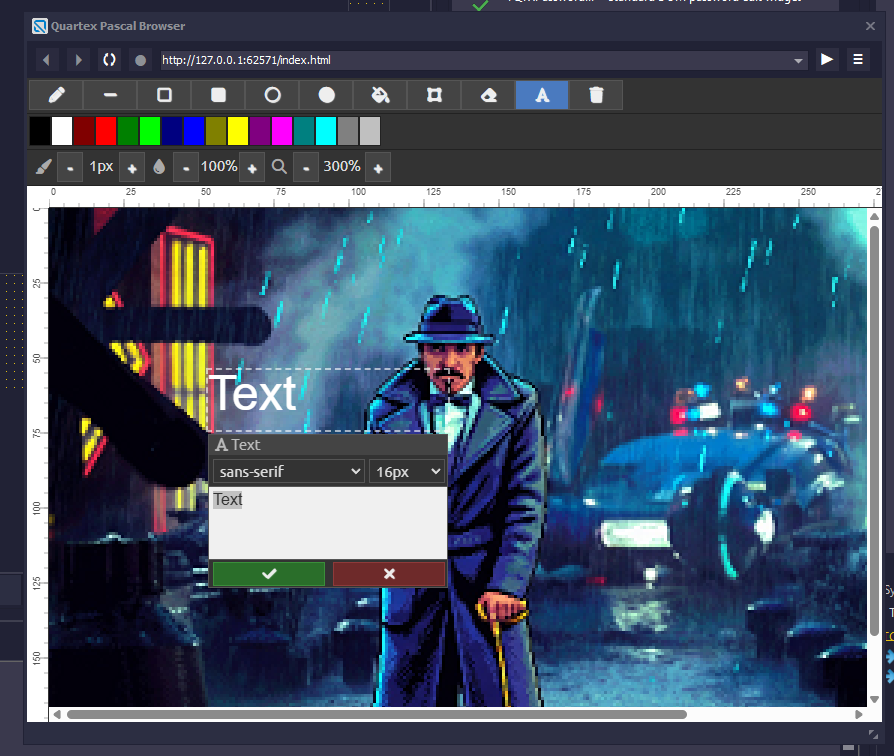
As of writing it supports the following “basic” features:
- Loading and saving images to TStream, which is uncommon for web components. As well as loading from URL
- Fixed palette (currently only 16 colors, will be expanded to a full 256 color palette shortly.
- Undo and Redo with standard keyboard shortcut (CTRL + Z, Shift + CTRL + Z for redo)
- Pencil (freehand) and line
- Rectangle (outline and filled)
- Ellipse (outline and filled)
- Floodfill and erase
- Movable text tool with preview window
- Selection and move selection
- Variable brush size
- Variable opacity (alpha blend)
- Proper zoom and ruler-bars
Full RTF text editor widget
Implemented a full RTF text-editor to replace Quill, one that is designed from scratch to be resized and moved without any problems. The new editor turned out far better than Quill ever was.
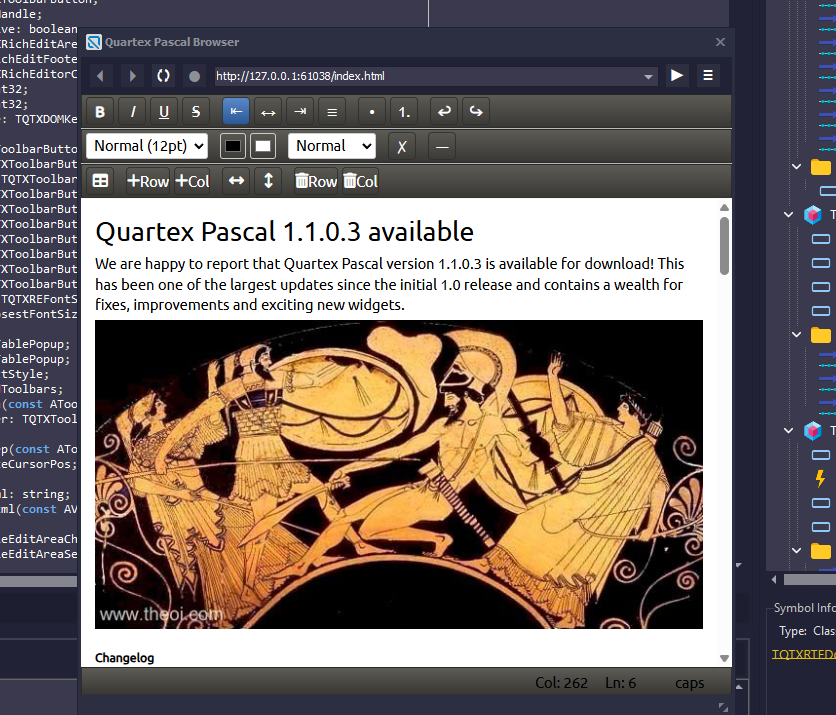
The following features are supported:
- bold, italic, underline, strikethrough and <hr> separator
- Variable font sizes (the most common are pre-defined in the dropdown list)
- Undo & redo keyboard mapping
- Cut, copy and paste keyboard mapping
- Bullet and number-lists
- Resizable tables
- Add / remove columns and rows
- Align left, center and right
- Foreground and background colors
- Clean formatting of selected text, this is a very important feature when pasting in text or HTML that comes with styling or colors
- Images, both via code and by pasting from the clipboard
- Full RTF loading and saving from TStream via the TQTXRTFCodec. It also supports loading from URL.
Obsolete packages
The installer does not remove old content unless you run the uninstaller first. This is to avoid deleting user-packages. But we suggest you delete the old quill package manually since that is now obsolete. You can find the package files here:
C:\Users\<username>\AppData\Roaming\qtx\packagesWhile you are there you can also delete any *.bak files to clear up some storage space if you like.
Note: Make sure the IDE is not running, as it will apply a read-lock on packages that are mounted.
Obsolete Templates
The Tabbed Dynamic template is now obsolete. So you should delete the following files (unless you did a clean uninstall first):
- File: visual.dynamic.tabs.ini
- Folder: visual.dynamic.tabs
These can be found here:
C:\Users\<username>\AppData\Roaming\qtx\templates